
Adding a personalization text box horizon theme setup uses the same Mini:Custom Fields Personalize steps as any Online Store 2.0 theme, plus one Horizon-specific step: enabling the app block inside the product template section, not just the app embed toggle. We shipped a Horizon (and Symmetry) compatibility in 2025 once Horizon was introduced; this post uses the current, working setup.
In this post:
- Why Horizon needs one extra step other themes don’t
- App block vs. app embed on Horizon
- Step-by-step: adding a personalization textbox field
- The Horizon-specific bug we fixed
- Troubleshooting: field not showing up on Horizon
- Plan requirements: Free vs. Basic
- FAQ
Why Horizon Has One Extra Step Other Themes Don’t
A personalization text box horizon theme setup trips up more merchants than older themes because Horizon, Shopify’s newest Online Store 2.0 theme, splits app functionality across two separate toggles: app embeds (theme-wide) and app blocks (per-section). Most older themes only really need the embed switched on. Horizon’s product template also needs the app block explicitly added to the section, or the field never renders no matter how correctly it’s configured inside the app.
App Block vs. App Embed on Horizon
Here’s the distinction that actually matters for a personalization text box horizon theme install:
| What It Is | Where It Lives | When You Need It |
|---|---|---|
| App embed | Theme editor > App embeds | Needed once per theme, turns the app’s functionality on globally |
| App block | Theme editor > product template > Add block | Needed on every individual product template that should show the field |
Merchants coming from an older theme usually only remember the embed step, since that’s all their previous theme required, and that’s the exact gap that leaves a personalization field configured correctly in the app but invisible on the actual product page.
Step-by-Step: Adding a Personalization Textbox Field
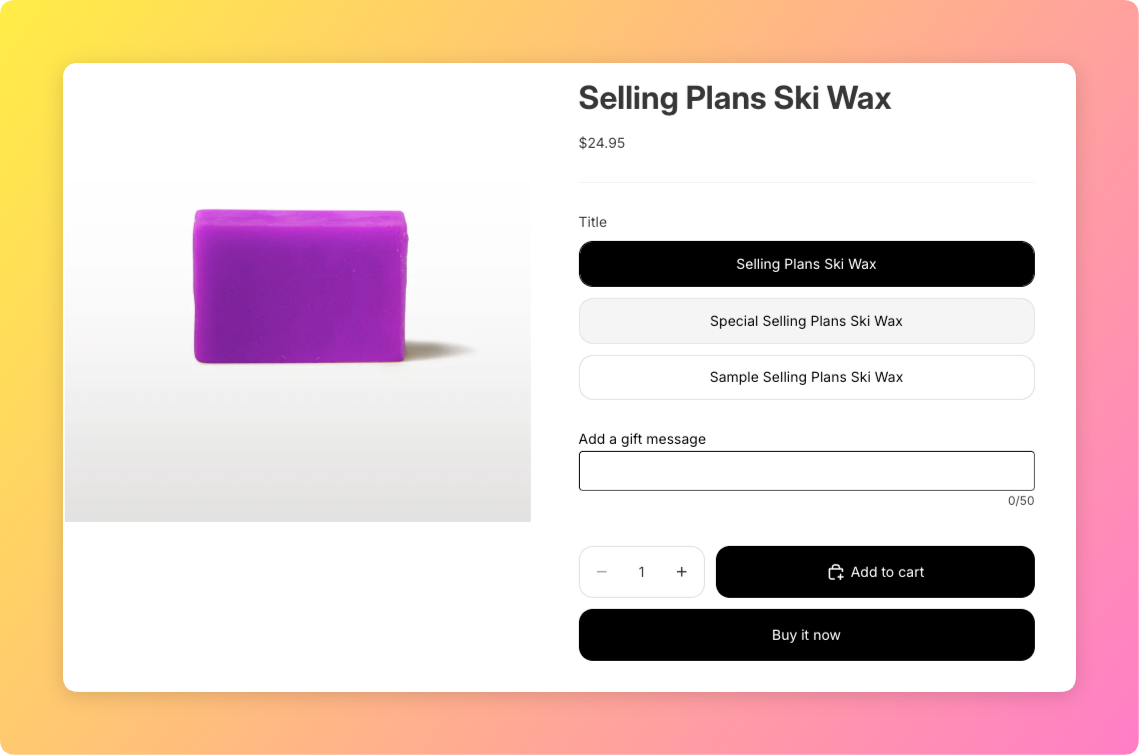
First, install Mini:Custom Fields Personalize and add a Textbox field to the product you want to personalize, same as on any theme. Second, open the Shopify theme editor and go to App Embeds, confirm Custom Fields Personalize is toggled on for the theme overall.
Third, and this is the Horizon-specific step, open the product template inside the theme editor, click Add Block inside the relevant section, and select the Custom Fields Personalize block. Fourth, preview the live product page, not just the theme editor, to confirm the field actually renders for a real visitor.
The Horizon-Specific Bug We Fixed
We ship the app block and embed logic every storefront depends on, so when the Horizon compatibility bug hit in November 2025, we saw it in support tickets before it ever showed up in the theme store’s own reviews. The bug: radio button and checkbox fields were rendering invisible on both the Horizon and Symmetry themes, even though the fields existed correctly in the app’s admin settings.
“Not only is the app easy to use, it’s highly customisable and solved a lot of legacy issues. On top of this the support is second to none and they go above and beyond. I’ve gone through a lot of apps over the years but I would put this top of my list overall in terms of service and performance.”
Source: The Precious People, United Kingdom (Shopify App Store review)
Troubleshooting: Field Not Showing Up on Horizon
If a personalization text box horizon theme field still isn’t showing, check three things in order. First, confirm the app embed is switched on for the theme (not just saved, actually toggled to on and the theme published). Second, confirm the app block has been added to the specific product template section, this is the step most merchants skip since it’s genuinely new behavior versus older themes.
One honest limit worth stating: if a product uses a fully custom section built outside the standard product template, the app block may not have anywhere to attach, in that case the field needs to be added inside whichever section actually renders the buy box.
Shopify’s own Online Store 2.0 app blocks documentation explains how app blocks and embeds work at the platform level, useful background regardless of which app you’re troubleshooting.
See our guides on adding a personalization option on Shopify and the best Shopify product customizer apps for more on setting up personalization across different themes.
Plan Requirements: What’s Included on Free vs. Basic
Horizon theme support itself isn’t gated by plan, it’s a compatibility fix that applies across Free, Basic, and Premium. What is gated is field count: Free allows 1 field per store, so a personalization text box horizon theme setup with more than one field needs Basic ($5.99/month) or above.
Frequently Asked Questions
- 1. Does Mini:Custom Fields Personalize work with the Horizon theme?
- Yes, including a compatibility fix shipped 2025-11-24 for radio and checkbox fields that were previously invisible on Horizon.
- 2. Why isn’t my personalization field showing up on Horizon?
- Most often the app block hasn’t been added to the product template section, or you’re on a pre-November-2025 app version affected by the radio/checkbox visibility bug.
- 3. Do I need to enable an app embed or an app block on Horizon?
- Both. The app embed is a one-time, theme-wide toggle; the app block must be added individually to each product template section that should show the field.
- 4. Is Horizon theme support available on the free plan?
- Yes, theme compatibility applies to all plans. The Free plan is limited to 1 field total, not by theme.
- 5. What other Shopify themes does Custom Fields Personalize support?
- The app supports all Online Store 2.0 themes, including Horizon, Symmetry, and Taiga, alongside older themes.
- 6. Were radio and checkbox fields ever broken on Horizon?
- Yes, prior to a fix shipped 2025-11-24, radio button and checkbox fields could render invisible on both Horizon and Symmetry themes despite being configured correctly in the app.



