

The email vs sms restock decision comes down to cost and consent. Email restock notifications cost nothing extra per message and reach nearly every customer’s inbox. SMS runs roughly $0.01-$0.05 per message through a provider like Twilio and tends to get opened faster, but requires documented opt-in consent under US TCPA rules before you can send it. Restock Alert & Waitlist ‑ Mini sends restock notifications by email only, through AWS SES, so if SMS is a hard requirement for your store, we’re saying that plainly upfront rather than burying it in the fine print.
In this post:
- Email vs SMS restock notifications: the real tradeoffs
- Cost and deliverability: what each channel actually costs
- Compliance: what opt-in rules mean for SMS restock alerts
- Why we’re email-only, and when that’s the wrong choice for you
- Setting up email restock notifications on Shopify
- How to choose: email, SMS, or both
- FAQ
Email vs SMS Restock Notifications: The Real Tradeoffs
Here’s the email vs sms restock decision in one table, the tradeoffs that actually matter before you pick a channel:
| Channel | Typical Cost | Consent Requirement | Setup Effort |
|---|---|---|---|
| Near-zero marginal cost per send | Standard marketing opt-in, no special written consent | Works out of the box with Restock Alert & Waitlist ‑ Mini | |
| SMS | Roughly $0.01-$0.05 per message via a provider like Twilio | TCPA-compliant written opt-in required in the US before sending | Needs a separate SMS provider integration, not built into most restock apps |
Most “multi-channel” restock apps list SMS or WhatsApp as a bullet point without ever mentioning either of the two columns on the right, cost and consent, which is exactly the information a merchant actually needs before deciding.
Cost and Deliverability: What Each Channel Actually Costs Per Notification
Email restock notifications sent through AWS SES cost a fraction of a cent per message at any real volume, effectively free for the notification volume a typical waitlist app generates. SMS is genuinely faster to open, often within minutes, but that speed comes with a real per-message bill that scales with your waitlist size. A store with 2,000 people waiting on a restock pays roughly $20-$100 to notify everyone once by SMS, versus effectively nothing by email.
Deliverability also differs: email can land in spam without the right sender reputation and authentication, while SMS deliverability is generally more consistent but carrier filtering for promotional content is a real and growing issue in 2026. Either way, the email vs sms restock cost gap is the number most merchants underestimate going in.
Compliance: What TCPA/Opt-In Rules Mean for SMS Restock Alerts
In the US, the Telephone Consumer Protection Act (TCPA) requires documented, specific consent before sending marketing text messages, restock alerts included. That means a separate SMS opt-in checkbox, not just an email signup, plus a compliant unsubscribe path (typically “reply STOP”). Getting this wrong exposes a merchant to real statutory penalties, not just an annoyed customer.
Email has its own rules (CAN-SPAM in the US, similar frameworks elsewhere), but they’re lighter-touch than TCPA’s written-consent bar, one reason email remains the default first channel for most restock and waitlist apps.
Why Restock Alert & Waitlist ‑ Mini Is Email-Only, and When That’s the Wrong Choice for You
We run restock notifications through AWS SES for every merchant on this app, so we’ve actually priced out what adding SMS would take, and the honest answer is the opt-in compliance overhead is the bigger blocker than the per-message cost. We haven’t built SMS, and if a WhatsApp or SMS channel is a non-negotiable requirement for your store, we’re not the right fit today, say so plainly rather than let you find out after installing.
Where we do fit well: unlimited restock emails on Premium ($8.99/month), a custom sending domain so notifications don’t look like they’re coming from a third-party app, Shopify Flow integration, and CSV export, all still through the one channel most restock apps default to first anyway. See our guide on back in stock alert systems for Shopify for the fuller picture of how the email side works end to end.
“Not only is the app easy to use, it’s highly customisable and solved a lot of legacy issues. On top of this the support is second to none and they go above and beyond. I’ve gone through a lot of apps over the years but I would put this top of my list overall in terms of service and performance.”
Source: The Precious People, United Kingdom (Shopify App Store review)
Setting Up Email Restock Notifications on Shopify
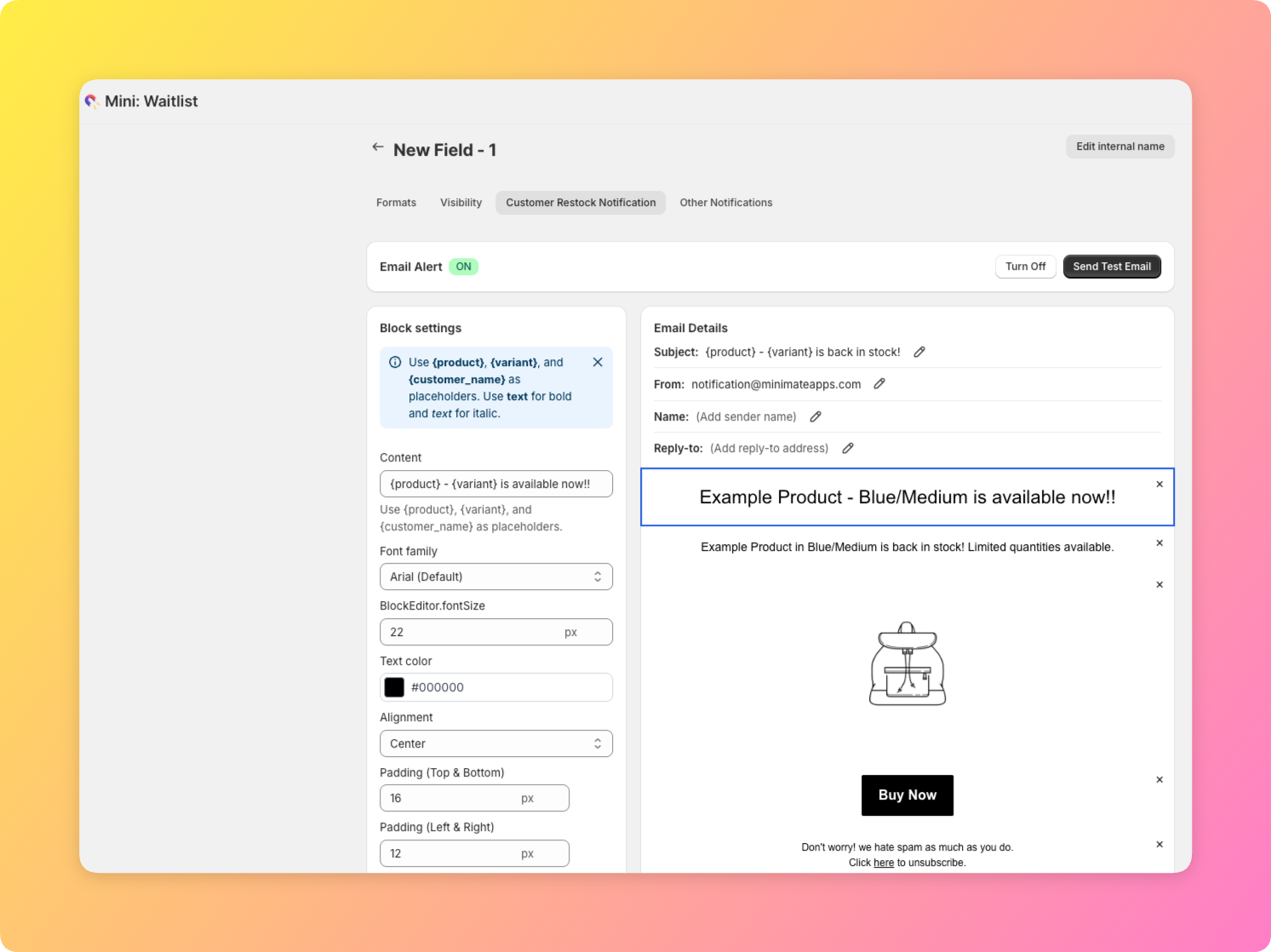
With Restock Alert & Waitlist ‑ Mini, setup takes three steps: install the app and enable it on the products you want covered, customize the restock email template using the block-based editor, and optionally verify a custom sending domain so emails arrive from your own address instead of a shared one. From there, the app tags customers who sign up for a sold-out variant and queues an email automatically once that variant restocks.
Why does a plain restock email need a custom domain at all? Because inbox providers increasingly weight sender reputation by domain, and a shared “notification@” address performs worse over time than your own verified domain, worth the 10 minutes of DNS setup for any store sending real volume. Pair this with a Shopify waitlist so customers can opt in before a product even sells out, not just after.
How to Choose: Email, SMS, or Both
Choose email-only if you want the lowest cost, the fastest setup, and don’t have a merchant base that specifically expects text alerts, which covers most Shopify stores. Choose SMS (or WhatsApp) in addition to email if your customer base skews toward markets where text messaging outperforms email open rates, and if you’re willing to build out TCPA-compliant opt-in and consent tracking as a separate project, not a checkbox toggle. The email vs sms restock question ultimately comes down to how much that speed premium is worth to your specific customer base.
The Federal Communications Commission publishes the official TCPA consumer guidance on unwanted texts, a useful reference before building any SMS opt-in flow.
Frequently Asked Questions
- 1. Does Shopify have native SMS restock notifications?
- No, Shopify itself has no built-in SMS restock feature. Any SMS restock alert requires a third-party app or a separate SMS/Twilio integration.
- 2. How much does SMS cost compared to email for restock alerts?
- The email vs sms restock cost gap is significant: SMS typically runs $0.01-$0.05 per message through a provider like Twilio, while email sent through a service like AWS SES costs a fraction of a cent per message.
- 3. Do I need customer consent to send SMS restock notifications?
- Yes, in the US, TCPA rules require documented, specific written opt-in consent before sending marketing text messages, restock alerts included.
- 4. Does Restock Alert & Waitlist ‑ Mini support SMS?
- No, it sends restock notifications by email only, through AWS SES. SMS is not currently supported.
- 5. What’s the open rate difference between email and SMS notifications?
- SMS is generally opened faster, often within minutes, while email open rates vary more by sender reputation and subject line, though email remains far cheaper per send.
- 6. Can I add SMS to my restock alerts using Shopify Flow?
- Shopify Flow can trigger third-party SMS actions if you connect a separate SMS app or provider, but Restock Alert & Waitlist ‑ Mini’s own Flow triggers are built around its email restock events.



