

Displaying low stock by variant on Shopify means the counter on your product page shows the stock level for the exact size, color, or option a shopper has selected, not a single number for the whole product. Hey!Scarcity Low Stock Counter does this by default: it reads inventory per variant through Shopify’s own API and re-renders the count the moment a shopper switches variants. This post covers how that works out of the box, how to set thresholds, and what to check if the counter on your store doesn’t seem to move.
In this post:
- How low stock by variant actually works
- What the counter shows before and after a variant switch
- Setting thresholds that apply per variant
- High-variant products: how the app keeps up
- A theme conflict worth checking
- Setting this up on your store
- FAQ
How Low Stock by Variant Actually Works on Shopify
Shopify tracks inventory at the variant level, not the product level, a size-8 red sneaker and a size-10 blue sneaker are separate inventory records even though they share a product page. Showing low stock by variant means your stock counter has to know which variant is currently selected and pull that specific record, rather than summing every variant into one misleading total.
Hey!Scarcity Low Stock Counter builds this in by default. There’s no separate “enable per-variant mode” toggle to hunt for, the app reads Shopify’s variant-level inventory through its GraphQL API and matches it to whatever option the shopper currently has selected on the page.
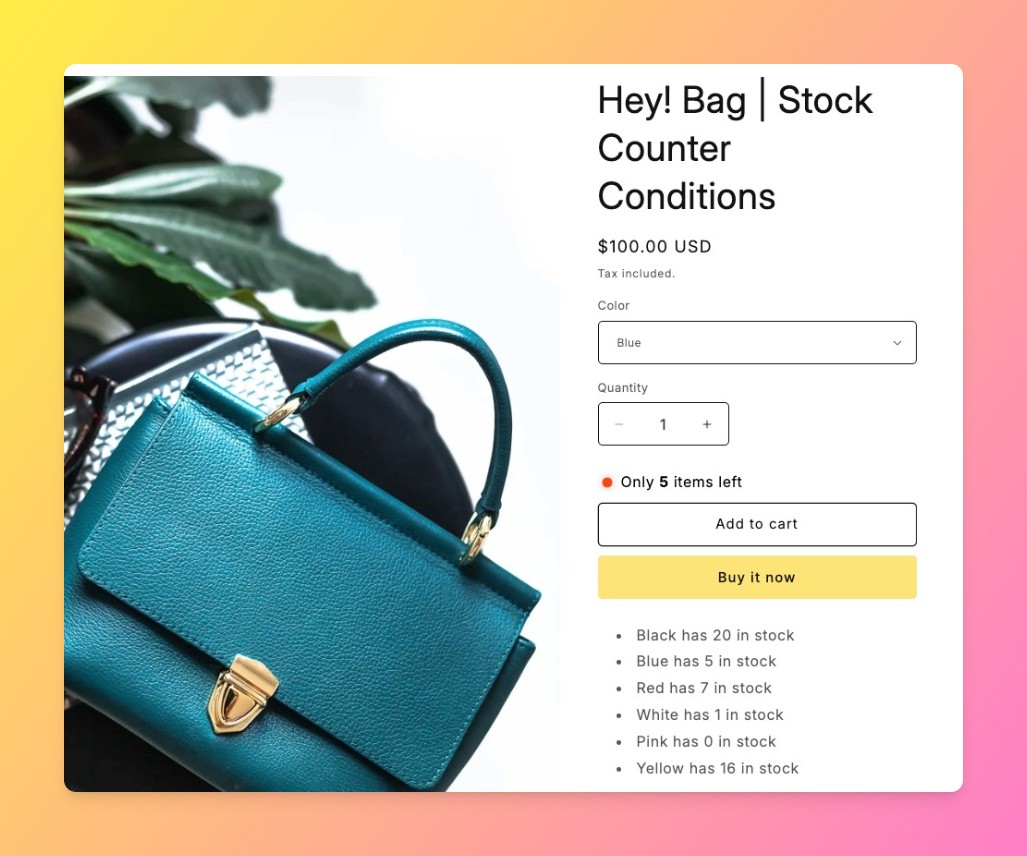
What the Counter Shows Before and After a Variant Switch
We build the variant-refresh logic that reruns on every variant switch, so we know exactly which theme events it hooks into, and which poorly-behaved themes can break that refresh without the merchant ever noticing.
| Moment | What the Counter Shows | Why |
|---|---|---|
| Shopper lands on the page | Stock for the default or first-available variant | No variant has been actively chosen yet |
| Shopper switches variant | Re-fetches and re-renders that variant’s own stock level and threshold | Low stock by variant means the number has to follow the selection |
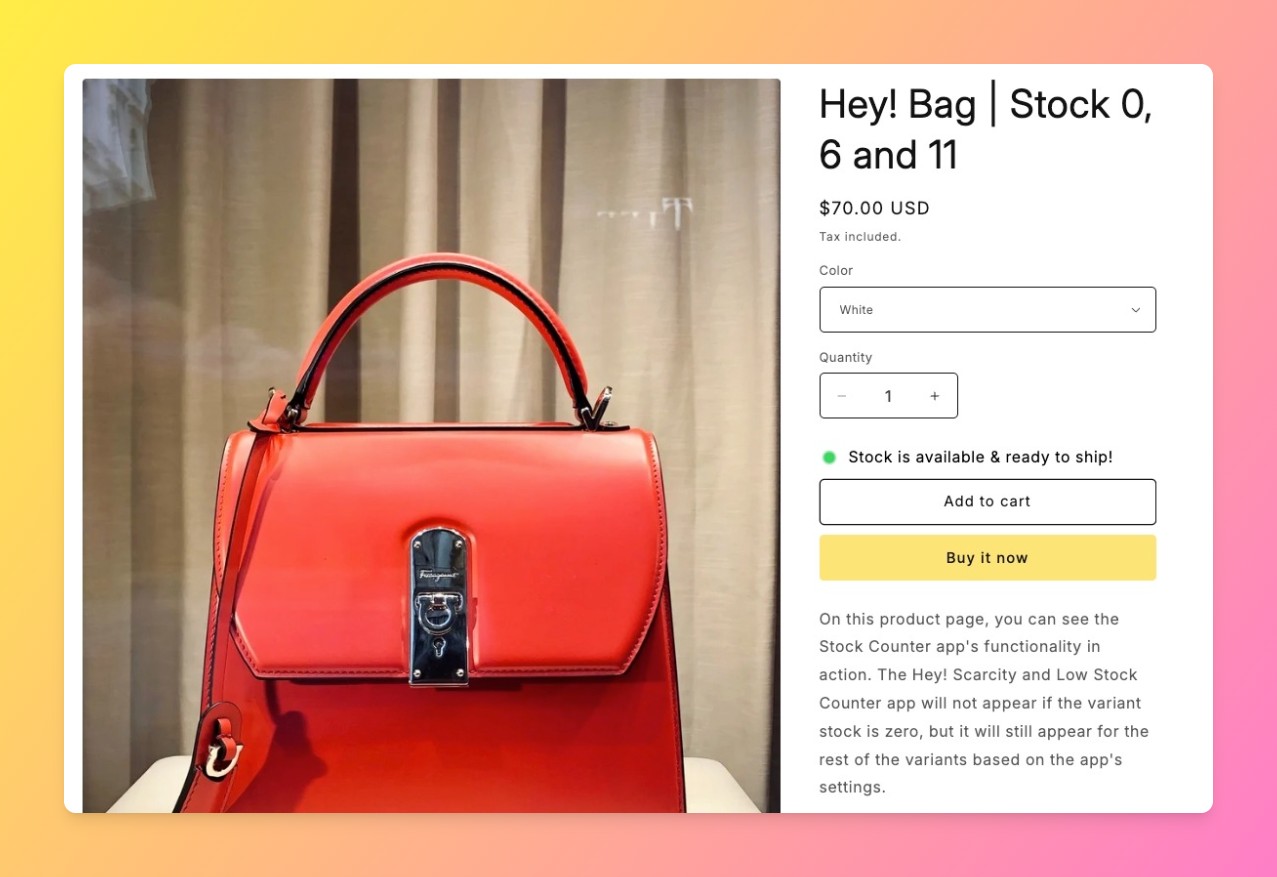
| Variant has inventory tracking off (“continue selling”) | Badge hides by default | Avoids a false low-stock signal on untracked inventory |
Setting Thresholds That Apply Per Variant
Why does a single store-wide threshold sometimes feel wrong? Because a size that sells 40 units a week and a size that sells 2 shouldn’t trigger “low stock” at the same count. Hey!Scarcity applies one threshold setting across the product, but because the count itself is always read per variant, a fast-moving size can cross that threshold and show low stock while a slow-moving size on the same product stays silent.
A concrete example: a shoe store sets a low stock threshold of 5 units store-wide. Size 9 sells quickly and drops to 4 units by Tuesday, showing the badge. Size 6 barely moves and sits at 18 units, no badge. Same product, same threshold, two completely different signals, because low stock by variant reads each size independently.
High-Variant Products: How the App Keeps Up
Products with 250 or more variants can’t be fetched in a single API call without hitting Shopify’s limits. Hey!Scarcity’s high-variant support handles this with cursor-based pagination: additional GraphQL calls fetch the remaining variants in 250-item batches, and the results feed into in-memory maps the storefront script reads from. A merchant running a product with 400 color and size combinations doesn’t need to do anything differently, the app fetches the extra batches automatically.
A Theme Conflict Worth Checking if the Counter Doesn’t Update
Here’s an honest limit worth stating: the variant-switch refresh depends on the theme firing a standard variant-change event when a shopper picks a new option. Most Online Store 2.0 themes do this correctly, but a small number of older or heavily customized themes fire a nonstandard event, or none at all, on their swatch or dropdown selectors. If your low stock badge shows the same number no matter which variant is selected, that’s the first thing to check, not a bug in the counter itself.
Setting This Up on Your Shopify Store
Install Hey!Scarcity Low Stock Counter, set your threshold in the app dashboard, and the counter starts reading live variant inventory immediately, no manual configuration needed to get low stock by variant working on a standard theme. Shopify’s own inventory tracking documentation is worth a read first if you’re unsure whether your store tracks quantity per variant, since the counter can only be as accurate as the underlying data.
For the broader question of whether this kind of messaging is worth turning on at all, see our post on whether showing low stock increases sales. If you’re comparing display formats rather than the variant mechanics specifically, our inventory countdown vs. low stock badge comparison and our native inventory vs. low stock apps post cover that ground.
Frequently Asked Questions
- 1. Does Shopify show low stock per variant by default?
- Shopify tracks inventory per variant natively, but its default theme elements don’t automatically display a low stock warning. An app like Hey!Scarcity Low Stock Counter reads that per-variant data and renders the counter on the page.
- 2. Why does my low stock counter show the same number for every variant?
- Most often this means the theme isn’t firing a variant-change event the counter script can listen for. Check whether your theme uses a standard Online Store 2.0 variant picker before assuming the app is broken.
- 3. Can I set a different low stock threshold for each variant?
- Hey!Scarcity applies one threshold across the product, but because stock is read per variant, different variants naturally cross that threshold at different times based on their own inventory level.
- 4. Does the low stock counter update automatically when a shopper picks a different size or color?
- Yes, on a standard theme. The app listens for the variant-change event and re-fetches that variant’s stock level without a page reload.
- 5. What happens if a product has more than 250 variants?
- The app uses cursor-based pagination to fetch the remaining variants in batches beyond Shopify’s 250-item API limit, so high-variant products are still fully covered.
- 6. Why isn’t my low stock badge updating when I switch variants?
- This is almost always a theme event issue rather than an app issue. Confirm your theme fires a standard variant-change event, particularly if it’s an older or heavily customized theme.



