
Looking for a Globo alternative? Globo Product Options, Variant (4.9, 4,830 reviews) is by far the larger app in this comparison, its review count alone is over 35 times ours, and its entry-level Premium tier costs $9.90/month. Mini:Custom Fields Personalize (5.0, 133 reviews) starts cheaper at $5.99/month for Basic, and bundles image swatch, file upload, and add-on pricing into a single $9.99/month Premium plan. The clearest structural difference: Globo splits live preview and product personalization into its top $19.90/month Advanced tier, while ours includes live preview at the $9.99/month level.
In this post:
- Why merchants look for a Globo alternative
- Comparison table: Mini:Custom Fields Personalize vs. Globo Product Options, Variant
- Mini:Custom Fields Personalize: live preview and add-on pricing in one tier
- Globo Product Options, Variant: more option types, a higher tier for live preview
- The honest tradeoff: scale vs. price-per-tier
- How to choose: which one actually fits your store
- FAQ
Disclosure: I’m the founder of Minimate Apps, and Mini:Custom Fields Personalize is one of the two apps in this comparison. Every rating, review count, and price below is pulled from each app’s public Shopify App Store listing as of the week this was written, so verify them directly before you decide.
Why Merchants Look for a Globo Alternative
Globo Product Options, Variant is one of the largest apps in the custom fields and product options category, with a review count in the thousands and a positioning built around solving Shopify’s 2,048-variant limit. That scale is exactly why some merchants go looking for a Globo alternative: a bigger app with more option types also means more surface area to configure, and a merchant who just wants live preview, add-on pricing, and a swatch or two can end up paying for a broader tool than they need.
Say you run a custom jewelry store with 80 SKUs and you only need three things: a size dropdown, an engraving textbox, and a live preview showing the engraving on the product photo. On Globo, that live preview sits behind the $19.90/month Advanced tier, the same tier that also unlocks POS support and 30+ option types you may never touch. Why does live preview cost more on Globo than the option types themselves? Because Globo prices “product personalization” as an advanced capability layered on top of option building, not a base feature.
Comparison Table: Mini:Custom Fields Personalize vs. Globo Product Options, Variant
| App | Rating | Reviews | Paid Pricing | Best For |
|---|---|---|---|---|
| Mini:Custom Fields Personalize (us) | 5.0 | 133 | Basic $5.99/mo, Premium $9.99/mo | Live preview, add-on pricing, and image/color swatch bundled into one $9.99/mo tier |
| Globo Product Options, Variant | 4.9 | 4,830 | Premium $9.90/mo, Advanced $19.90/mo | More option types (20 on Premium, 30+ on Advanced) and the largest review base in the category; live preview and product personalization require the $19.90/mo Advanced tier |
Mini:Custom Fields Personalize: Live Preview and Add-On Pricing in One Tier
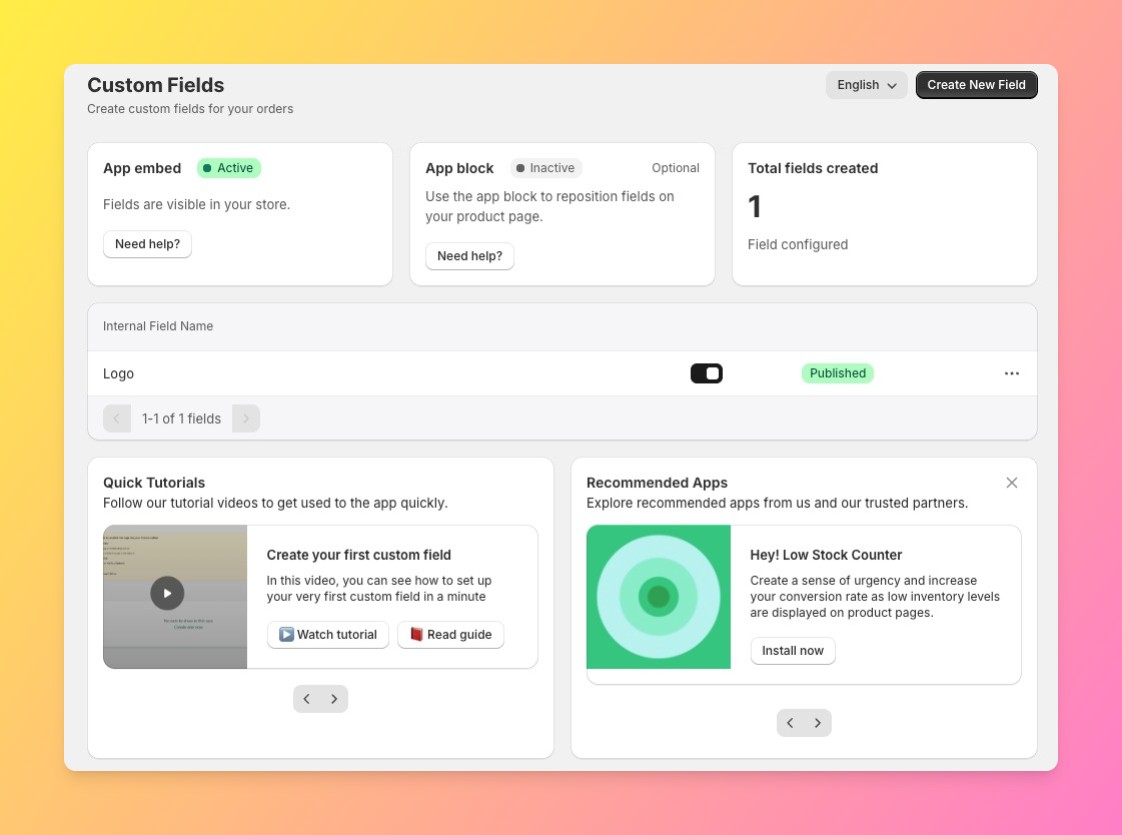
Our $9.99/month Premium plan bundles live preview on the product image, image and color swatch, file upload, add-on pricing, and advanced datepicker rules into a single tier. There’s no separate step up required to get live preview once you’re already paying for swatches or add-ons, it’s all in the same $9.99/month plan.
“Easy to use, with the ability to see the final result at the same time as you personalize.”
Source: Kiki l’a fait !, France (Shopify App Store review, translated from French)
Globo Product Options, Variant: More Option Types, a Higher Tier for Live Preview
Globo’s $9.90/month Premium tier unlocks 20 option types, price add-ons, file upload up to 20MB, and conditional logic tied to Shopify’s own variants, genuinely more option-type breadth than our Premium plan offers at a similar price. But live preview and product personalization, the feature that lets a shopper see their customization rendered on the product image, sit one tier up, on the $19.90/month Advanced plan, alongside 30+ option types, POS support, and custom order tagging.
That tiering makes sense at Globo’s scale: a review count near 5,000 means a much wider range of use cases to price for, and POS support alone is a real feature most single-channel Shopify stores won’t need. But it also means a merchant who wants live preview specifically pays for a tier built around several other features too.
The Honest Tradeoff: Scale vs. Price-Per-Tier
This isn’t a case where one app is simply better. Globo has the larger install base, the deeper option-type library, and features like POS support that Mini:Custom Fields Personalize doesn’t offer at any tier. What we’d push back on is the assumption that more option types automatically means a better fit, if your store’s actual requirement is live preview, add-on pricing, and a swatch or two, Globo’s cheapest path to all three costs more than double ours.
We don’t have Globo’s option-type depth, and we’re not trying to. We aim to keep the app as simple as possible so your store can be up and running with all necessary customization options within a few minutes. One honest limit worth stating: we don’t offer POS support, or a 30+ option-type library at any price. If a store genuinely needs those, Globo is the better pick regardless of the live-preview pricing gap.
How to Choose: Which One Actually Fits Your Store
- Need live preview, add-on pricing, and a swatch together, in one cheap tier: Mini:Custom Fields Personalize’s $9.99/month Premium plan.
- Need 20-30+ option types, or POS support: Globo’s Premium or Advanced tier.
- Not sure yet and want the lowest-cost paid entry point: our $5.99/month Basic plan is cheaper than Globo’s $9.90/month Premium, though it doesn’t include live preview or swatches on its own.
The short version of this Globo alternative decision comes down to one question: is your store buying option-type breadth, or buying a specific set of features cheaply? Merchants who already know they need POS support or 30+ option types aren’t really shopping for a Globo alternative in the first place, they’re confirming Globo is the right call. This comparison is for the merchant whose actual requirement is smaller than Globo’s full feature set.
Shopify’s own product options documentation is a useful baseline for what’s possible natively before adding either app.
See our full Shopify product customizer apps comparison for a wider set of options, or our Easify alternative, Teeinblue alternative, and Customily alternative comparisons for how we stack up against the rest of the category.
Frequently Asked Questions
- 1. Is there a cheaper alternative to Globo Product Options?
- Yes. Mini:Custom Fields Personalize’s Basic plan starts at $5.99/month, cheaper than Globo’s $9.90/month Premium tier, and our $9.99/month Premium plan is cheaper than the $19.90/month tier Globo requires for live preview.
- 2. Does Mini:Custom Fields Personalize have live preview like Globo?
- Yes, on the $9.99/month Premium plan. Globo has live preview too, but only on its $19.90/month Advanced tier, not its $9.90/month Premium tier.
- 3. What’s the price difference between Mini:Custom Fields Personalize and Globo on paid plans?
- Our Premium plan is $9.99/month and includes live preview. Globo’s equivalent, live preview plus its full option-type library, sits on the $19.90/month Advanced tier, roughly double the price.
- 4. Does Globo have more reviews than Mini:Custom Fields Personalize?
- Yes, significantly. Globo has roughly 4,830 reviews at a 4.9 rating, compared to our 133 reviews at 5.0.
- 5. Do I need Globo’s Advanced plan to get live preview?
- Yes. Globo’s Premium tier ($9.90/month) covers option types, add-ons, and file upload, but live preview and product personalization require stepping up to the $19.90/month Advanced tier.
- 6. How many option types does each app support on its cheapest paid tier?
- Globo’s $9.90/month Premium tier includes 20 option types. Mini:Custom Fields Personalize doesn’t count option types the same way, our Premium tier bundles specific field types, textbox, dropdown, swatch, upload, datepicker, rather than a large numbered library.



