
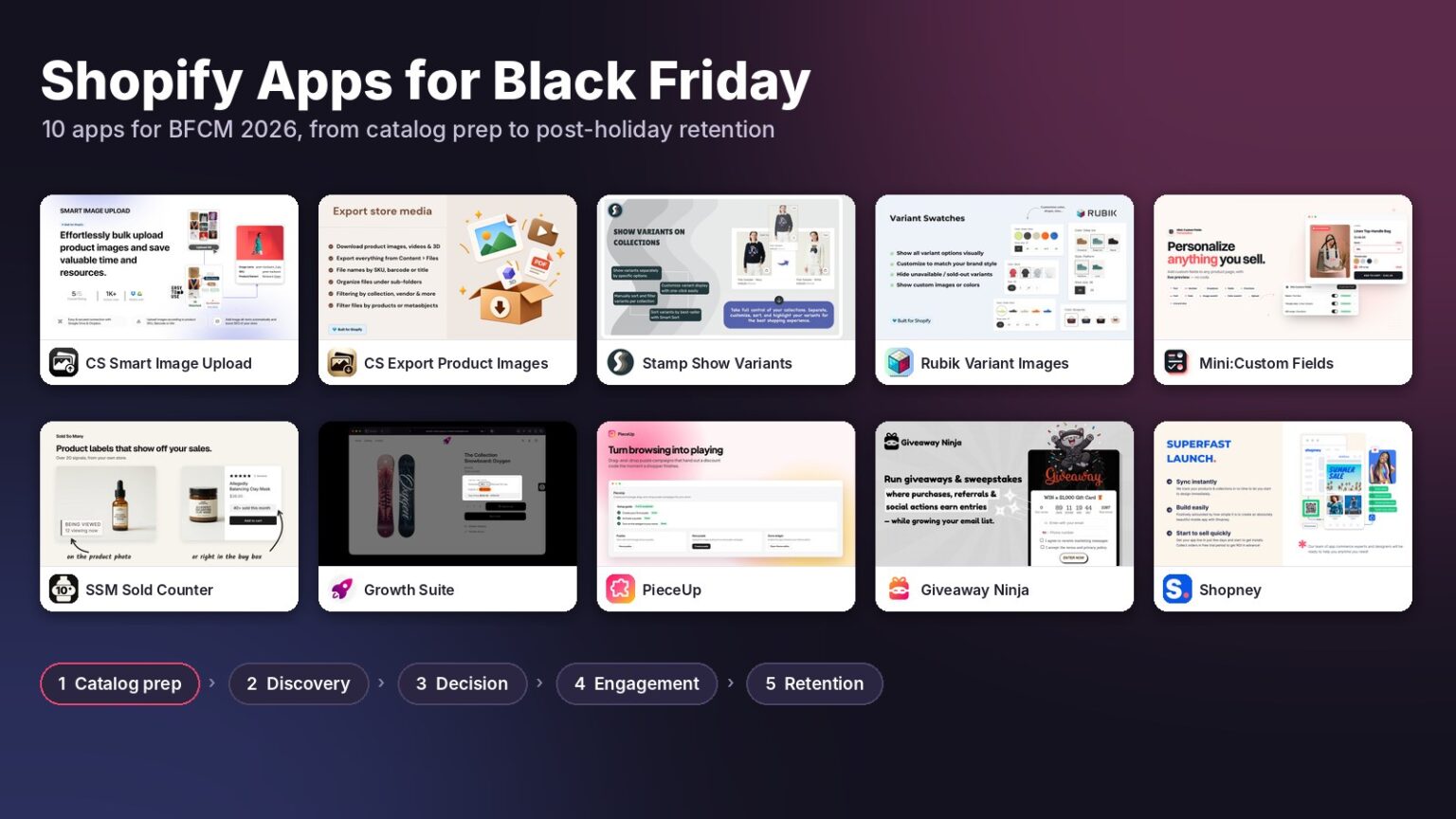
The best Shopify apps for Black Friday don’t add traffic. They fix the spots where traffic you already paid for leaks out. This list covers 10 apps across five stages of BFCM 2026: catalog prep (CS Smart Bulk Image Upload, CS Export Product Images), product discovery (Stamp Show Variants Collection, Rubik Variant Images), the buying decision (Mini:Custom Fields Personalize, SSM Sold Counter Social Proof, Growth Suite), engagement (PieceUp, Giveaway Ninja) and retention (Shopney). Eight of the ten have a free plan, and seven are rated 5.0 on the Shopify App Store.
Disclosure: we build Mini:Custom Fields Personalize, app #5 on this list. Ratings, review counts and prices below come from the public Shopify App Store listings as of early October 2026, so check them before you install.
In this post:
- Where Black Friday sales actually leak
- The 10 Shopify apps for Black Friday at a glance
- Stage 1: Get the catalog ready
- Stage 2: Help shoppers find the right variant
- Stage 3: Turn “maybe” into an order
- Stage 4: Grow the list without giving away margin
- Stage 5: Keep BFCM customers in January
- When to install each app
- Don’t install all ten: where these apps overlap
- FAQ
Where Black Friday Sales Actually Leak
Black Friday 2026 lands on November 27 and Cyber Monday on November 30. Ad costs climb all month, so every visitor who bounces costs more than the same bounce in August.
We build Shopify apps for a living, so every Q4 our support inbox fills with the same handful of problems. A shopper can’t see the color they want on the collection page. A gift buyer can’t type the engraving text. A product image is attached to the wrong variant the night before a sale. None of these are traffic problems, and none get fixed by spending more on ads.
Say you sell a hoodie in 8 colors and spend $2,000 driving 10,000 visitors to it over BFCM weekend. If 40% of those visitors only ever see the gray version on the collection grid, you paid for 4,000 people who never learned you sell the color they wanted. That’s the kind of leak the Shopify apps for Black Friday in this list are built to close.
The 10 Shopify Apps for Black Friday at a Glance
Here are all ten side by side, in the order a shopper meets them:
| App | Rating | Reviews | Pricing | Best for |
|---|---|---|---|---|
| CS Smart Bulk Image Upload | 5.0 | 111 | Free (25 images), Premium $69/mo | Bulk image uploads matched by SKU |
| CS Export Product Images | 4.7 | 31 | Free (100 images), from $29/mo | Media backups before big edits |
| Stamp Show Variants Collection | 5.0 | 178 | Free preview plan, from $12/mo | Variants as cards on collections |
| Rubik Variant Images | 5.0 | 488 | Free (1 product), from $25/mo | Variant-specific product galleries |
| Mini:Custom Fields Personalize (us) | 5.0 | 143 | Free (1 field), from $5.99/mo | Personalized and gift products |
| SSM Sold Counter Social Proof | 5.0 | 1 | Free up to 10k visitors/mo, from $19/mo | Real sold counts and best-seller badges |
| Growth Suite | 4.9 | 54 | From $139/mo, 14-day trial | Personal time-limited offers |
| PieceUp | New | 0 | Free (100 rewards/mo), from $9.99/mo | Earned discounts via a puzzle |
| Giveaway Ninja | 5.0 | 90 | Free (50 users/mo), from $49/mo | Purchase-based giveaways |
| Shopney | 5.0 | 770 | From $149/mo, 30-day trial | Native iOS and Android apps |
Stage 1: Get the Catalog Ready Before the Traffic Arrives
Catalog work is the least exciting part of BFCM and the most expensive to get wrong in week four of November. These two apps from Craftshift handle the media side of it, and they’re the only Shopify apps for Black Friday on this list that a shopper never sees.
1. CS Smart Bulk Image Upload
New holiday stock usually arrives as a folder of photos and a spreadsheet of SKUs. Attaching those images one product at a time in Shopify admin is the job that eats a whole weekend.
CS Smart Bulk Image Upload connects to Google Drive or Dropbox and matches each image to the right product or variant by SKU, barcode, product title, a metafield value or variant ID. Nothing is written to your store until you approve a full preview of matched and unmatched images, their positions and the alt text that will be applied.
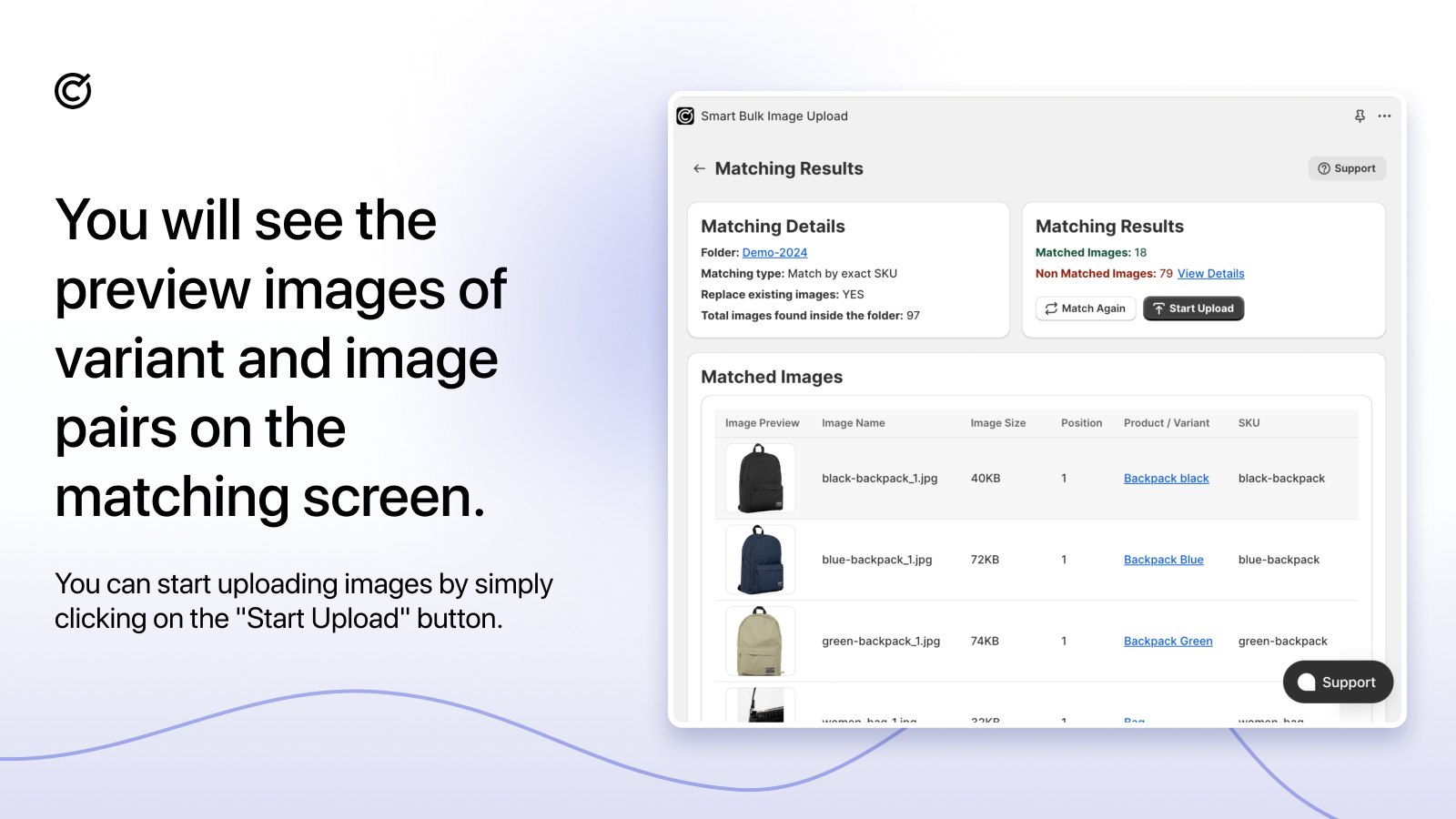
Uploads run in the background, keep multiple photos in order and write alt text automatically. Unmatched images export as a CSV so you can fix file names and run matching again.
“We’ve migrated 60k+ SKUs into Shopify and this app has saved us so much work, couldn’t have managed without it.”
Source: Heal’s, United Kingdom, August 2026 (Shopify App Store review)
Good to know: Built for Shopify, 5.0 from 111 reviews, free plan covers 25 images. Website · Shopify App Store
2. CS Export Product Images
Before you bulk-replace images, change themes or rework product pages for a sale, take a backup. Shopify has no one-click way to download all your product media, and you won’t miss it until something gets overwritten.
CS Export Product Images exports product and variant images, videos and 3D models into one ZIP, plus files from Content > Files. You can filter by status, vendor, collection or creation date, keep original file names or rename them, and choose the folder structure.
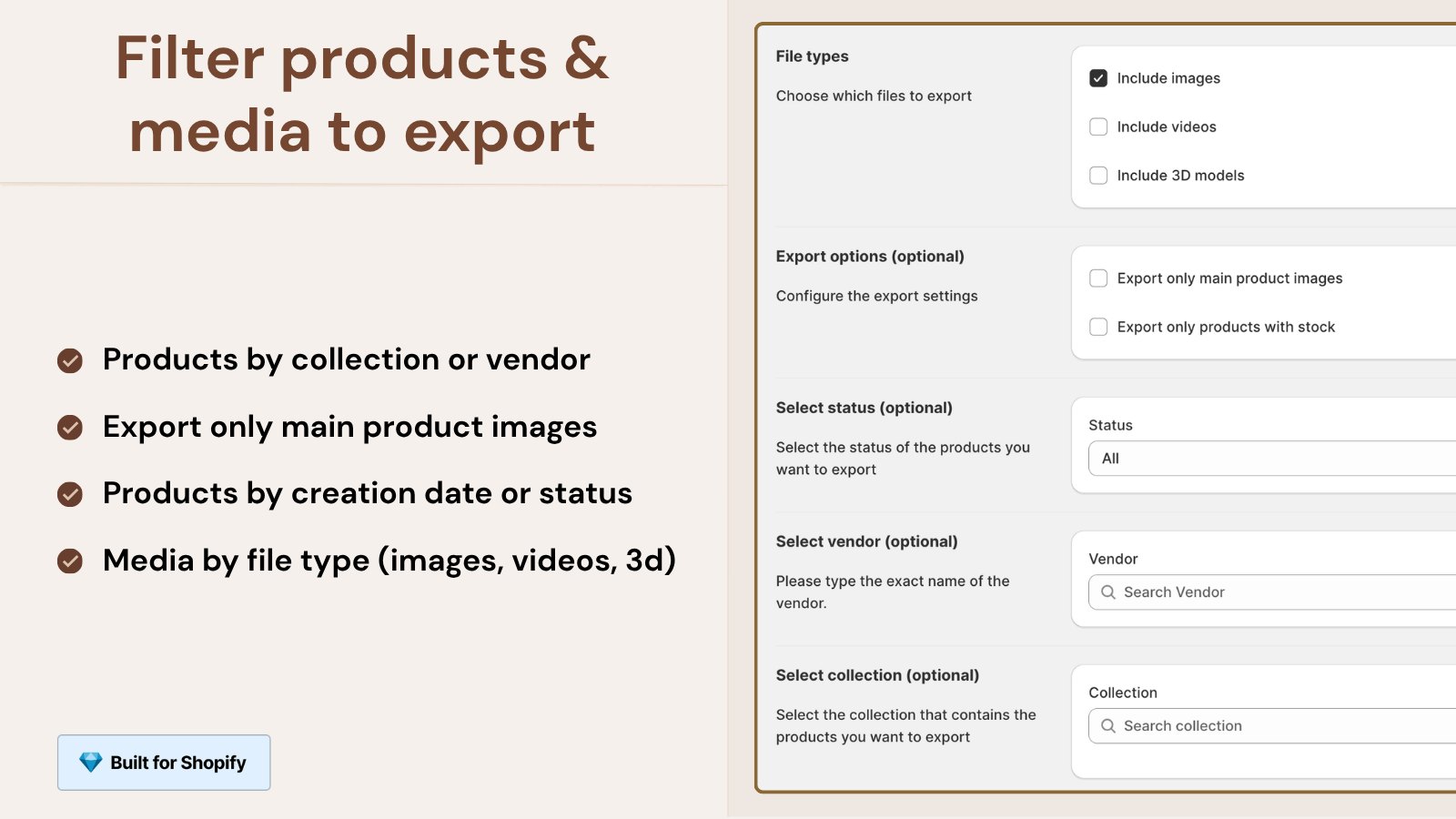
Exports run in the background and you get an email when the file is ready, with a download link that stays live for 7 days. It’s also handy for sending holiday assets to marketplaces, wholesale buyers or a designer.
“Easy way to export product images from Shopify.”
Source: Sophie Williamson Design, United States, September 2026 (Shopify App Store review)
Good to know: Built for Shopify, 4.7 from 31 reviews, free plan covers 100 images. Website · Shopify App Store
Stage 2: Help Shoppers Find the Right Variant
Why does Shopify still show one card per product on collection pages and attach only one image per variant? We genuinely don’t know, and it’s the exact gap these two apps fill. They solve different halves of the same problem, so read both before picking. For stores with deep color and size ranges, these are the Shopify apps for Black Friday with the most direct effect on clicks.
3. Stamp Show Variants Collection
Stamp, built by Sezerium, splits products into variant cards on collection and search pages. A shirt in 8 colors shows up as 8 cards, each with its own image, title and price, in your theme’s own card design.
You can hide sold-out variants or variants without images, show price ranges, filter variants and set a manual order per collection. It also adds color, image and button swatches to product cards, a Smart sort that moves sold-out items down and new arrivals up, plus Best Sellers, Featured Collection, Related Products and Promo Card sections.
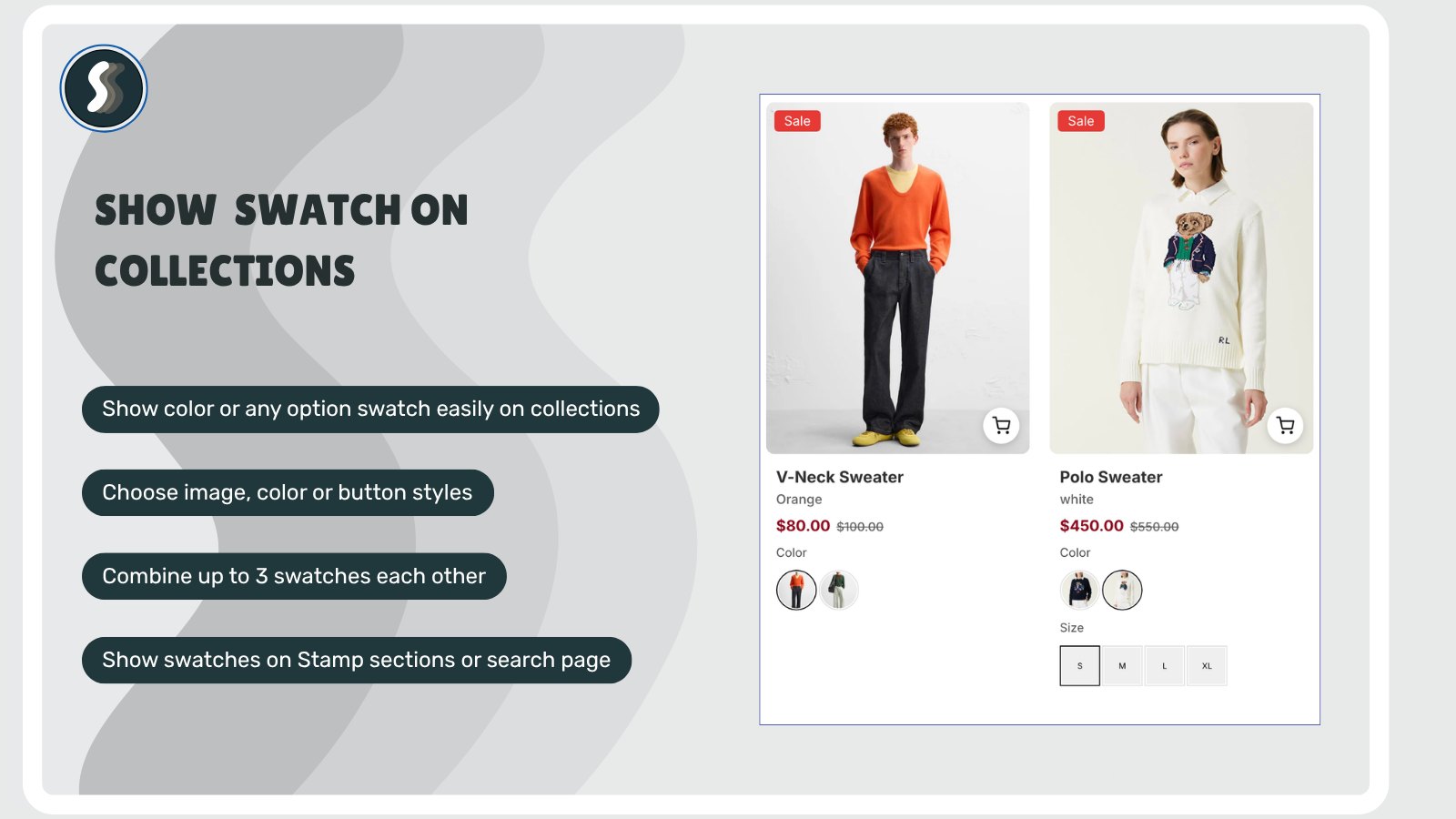
It works with any theme without code changes, including pages built with PageFly, GemPages, EComposer and Instant.
“We ran into a few compatibility issues with our theme, but the support team was incredibly helpful and resolved everything quickly.”
Source: NÉPRA, Finland, August 2026 (Shopify App Store review)
Good to know: Built for Shopify, 5.0 from 178 reviews. The free plan lets you build and preview everything, and going live starts at $12/month. Website · Shopify App Store
4. Rubik Variant Images
Once a shopper lands on the product page, the next leak is the gallery. Pick “Blue” and Shopify still shows photos of every other color, so the shopper has to guess which images belong to their choice.
Rubik Variant Images, built by Craftshift, lets you assign multiple images to each variant so the gallery updates the moment an option is selected. You can assign images by hand, let AI match images to variants product by product, or bulk assign across the whole catalog.
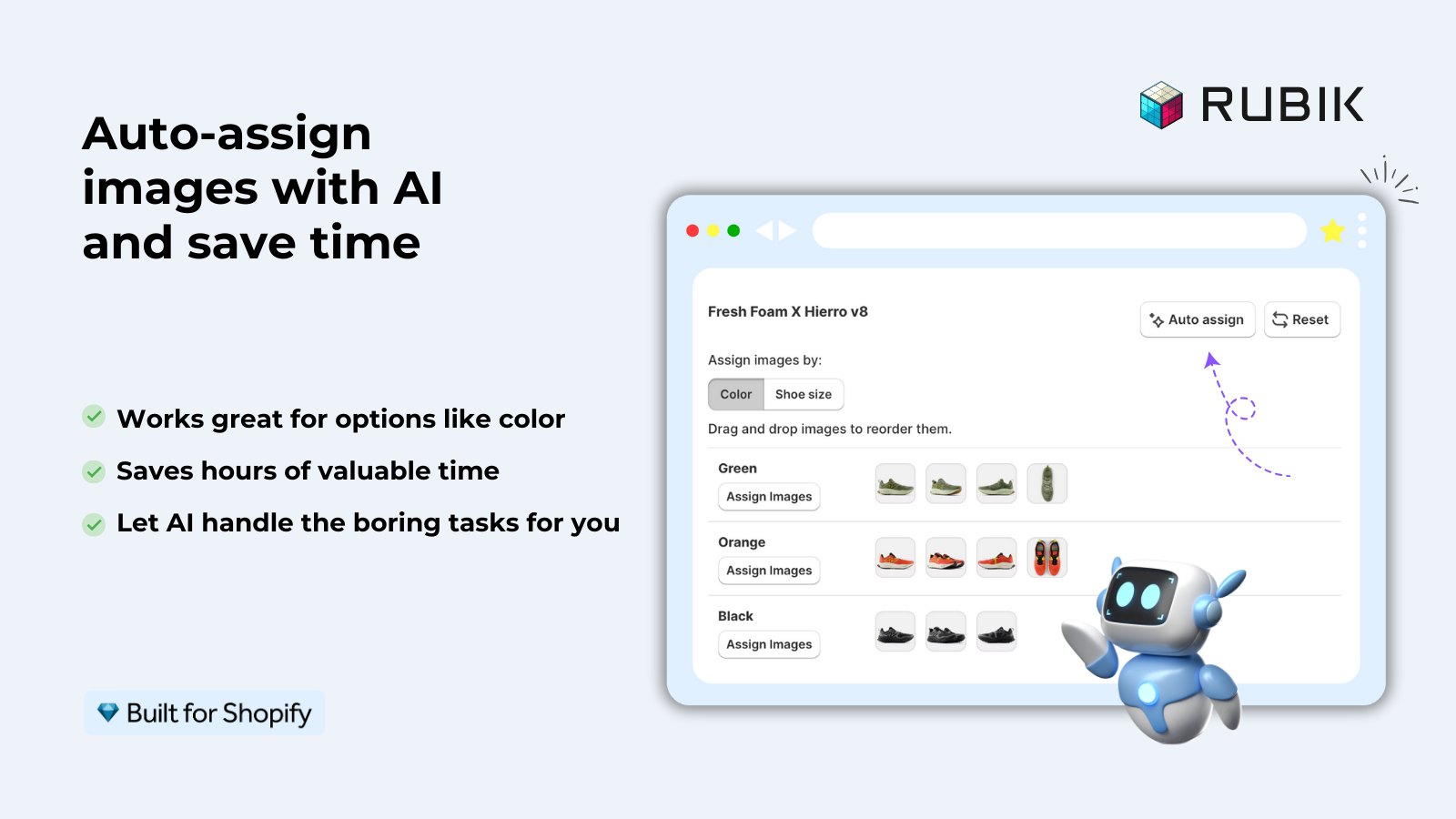
It also adds color and image swatches on product pages, optionally on collection cards too, and works with 350+ Shopify themes without code changes.
“Without this app, it was so difficult to assign product image or swatches and lot of manual work.”
Source: Fiber & Canvas, United States, September 2026 (Shopify App Store review)
Good to know: Built for Shopify, 5.0 from 488 reviews, the most reviewed app on this list after Shopney. Free plan covers 1 product. Website · Shopify App Store
Stage 3: Turn “Maybe” Into an Order
A shopper who found the right variant still has to decide. These three apps work on three different reasons people hesitate: the product isn’t quite theirs yet, they’re unsure it’s any good, or they plan to “buy it later.” Most Shopify apps for Black Friday lists lump all three together as “conversion,” but each fixes a different hesitation.
5. Mini:Custom Fields Personalize
Q4 is gift season, and a big share of gifts are personalized: engraved jewelry, a name on a mug, a photo on a pillow, a note inside a gift box. Shopify product pages have no built-in way to collect any of that.
Mini:Custom Fields adds the inputs to the product page: text boxes, dropdowns, radio buttons, checkboxes, date pickers, number inputs, file uploads, image swatches, color swatches and font selectors. Conditional logic shows a field only when an earlier answer calls for it, or only for certain variants. Every answer is saved with the order, so the team knows exactly what to make.
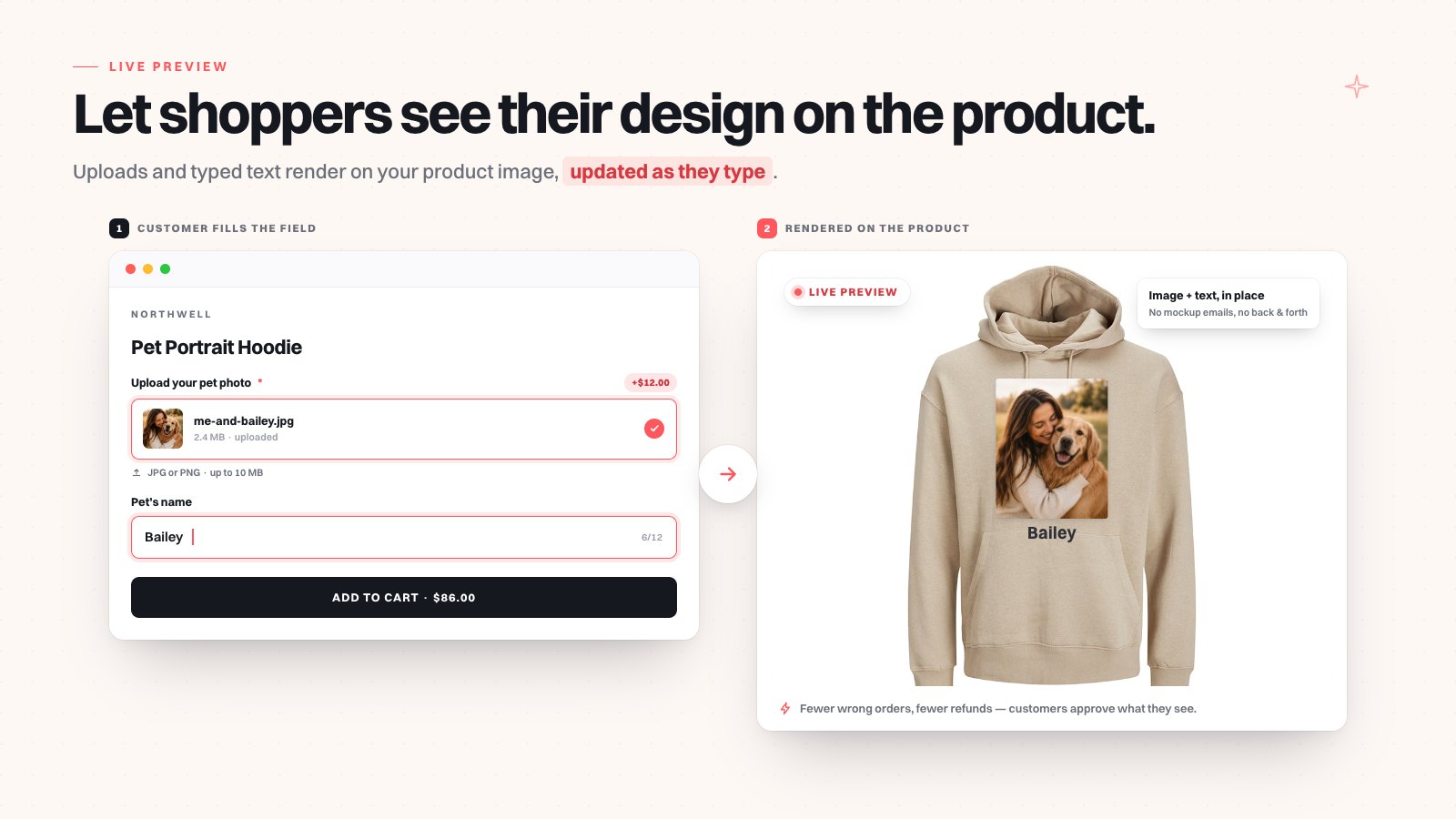
You can also charge extra for personalization, gift wrap or rush delivery. The fee goes into the cart as its own line item. One honest limit worth stating: because it’s a separate line, a shopper can remove the fee line in the cart and keep the personalized product, so check paid add-ons on your BFCM orders before you ship. For gift notes specifically, see our guide on offering gift messages on Shopify.
“This is simple, easy to use app. You can do many variation options. Perfect for those in the engraving business.”
Source: Engraving Arts, South Africa, October 2026 (Shopify App Store review)
Good to know: Built for Shopify, 5.0 from 143 reviews. The free plan allows only 1 custom field, which is enough to test but not to run a full gift catalog. Basic is $5.99/month. Website · Shopify App Store
6. SSM Sold Counter Social Proof
New BFCM visitors don’t know your store. SSM Sold Counter Social Proof shows them what other customers already bought, using numbers pulled from your real Shopify orders and live traffic.
Labels like “23 sold today” and “140 sold this month,” best-seller badges ranked within each collection, and live activity such as “8 carted in the last hour” can sit on product images, in collection grids or beside the Add to cart button. A self-learning engine picks which proof to show on each product, and labels inherit your store’s fonts and style presets.
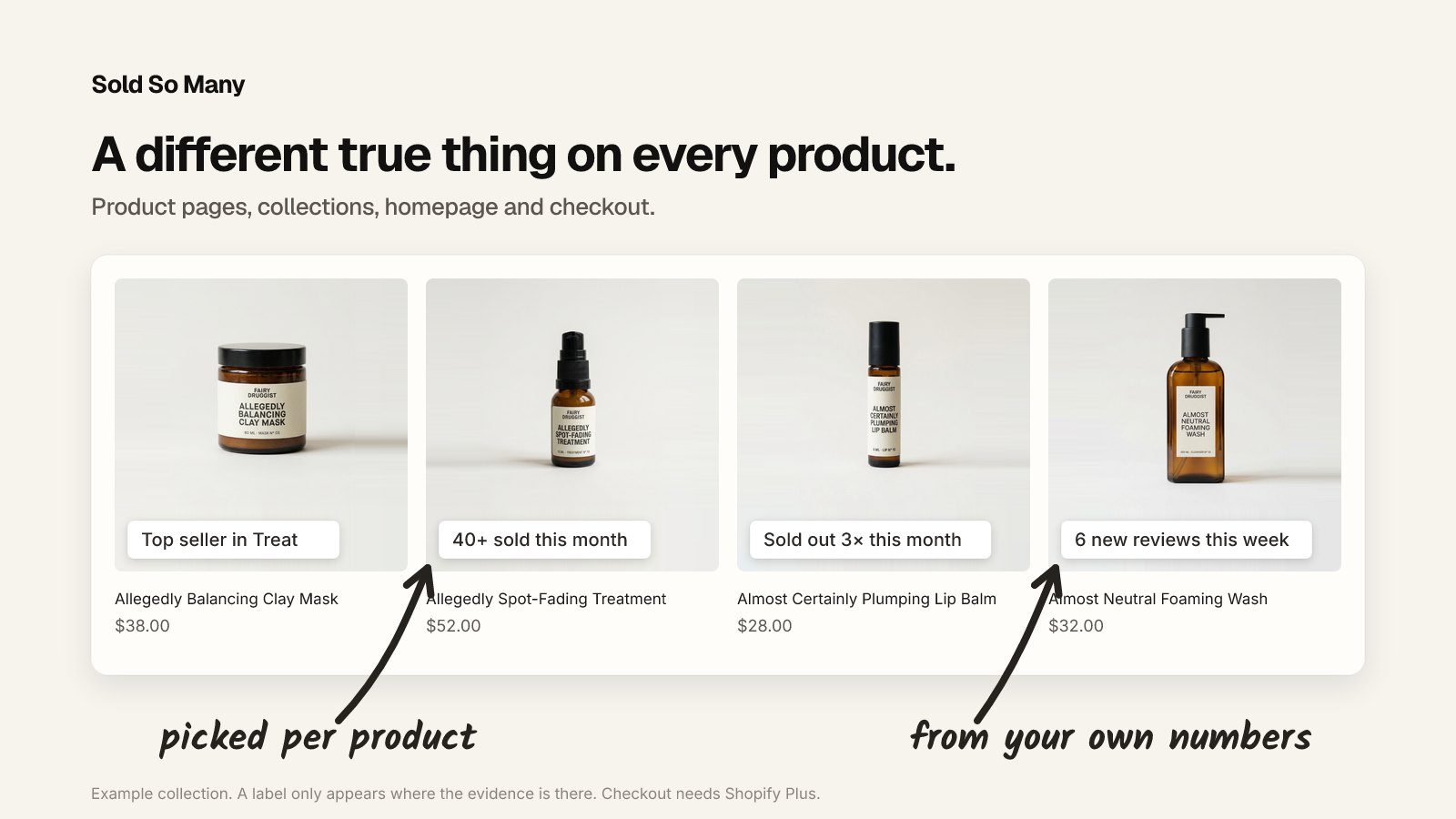
We like that every figure comes from real data. Fake “12 people are viewing this” popups are the fastest way to lose trust, and we’ve written about why real urgency outperforms invented urgency. The listing has a single review so far. That’s not a red flag, but it’s not a green light either, so test it on the free plan first.
Good to know: Free for up to 10,000 monthly visitors, 14-day free trial on paid plans from $19/month. Website · Shopify App Store
7. Growth Suite
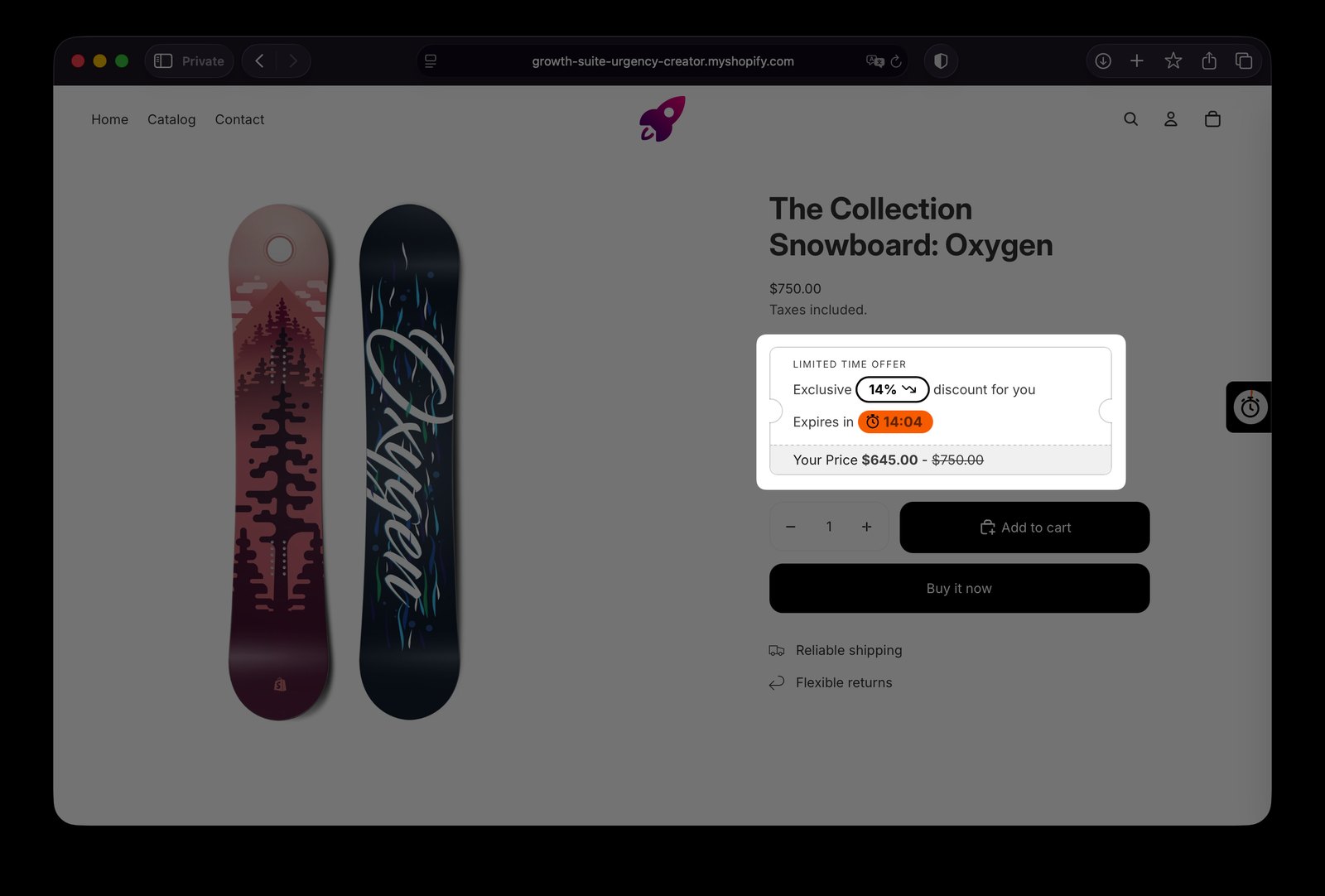
Plenty of shoppers like what they see and think “I’ll buy it later.” Most never come back. Growth Suite watches how each visitor shops, spots the ones still deciding, and gives them a personal discount code with a countdown timer.
The code works only for that shopper and only for a short time, which gives a real reason to buy today instead of a store-wide banner everyone ignores. Bundles, volume discounts, free gifts, add-ons and post-purchase offers live in the same app, with most of them on the higher plans.
“The app performs very well, is easy to use, and most importantly, it keeps improving with continuous updates and new developments.”
Source: femple LLC, United States, September 2026 (Shopify App Store review)
Good to know: Built for Shopify, 4.9 from 54 reviews, used by 300+ stores in 40+ countries. No free plan: pricing starts at $139/month with a 14-day trial, so it fits stores with real traffic more than brand-new ones. Website · Shopify App Store
Stage 4: Grow the List Without Giving Away Margin
Most BFCM email capture is “10% off for your email,” handed to anyone who scrolls. These two apps make the shopper do something first, which tends to produce a list of people who actually care. Of all the Shopify apps for Black Friday here, these two are the most fun for shoppers, and the easiest to overdo.
8. PieceUp
PieceUp, built by 34Devs, turns a discount popup into a jigsaw puzzle. A shopper drags a few pieces onto a picture of your product, picks a prize, and gets a real single-use Shopify discount code the moment they win.
You choose the image, 2×2 up to 4×4 pieces, difficulty, an optional countdown, and the prizes: percent off, amount off, free shipping or a “try again” that costs nothing. You also control when it appears and how often per shopper.
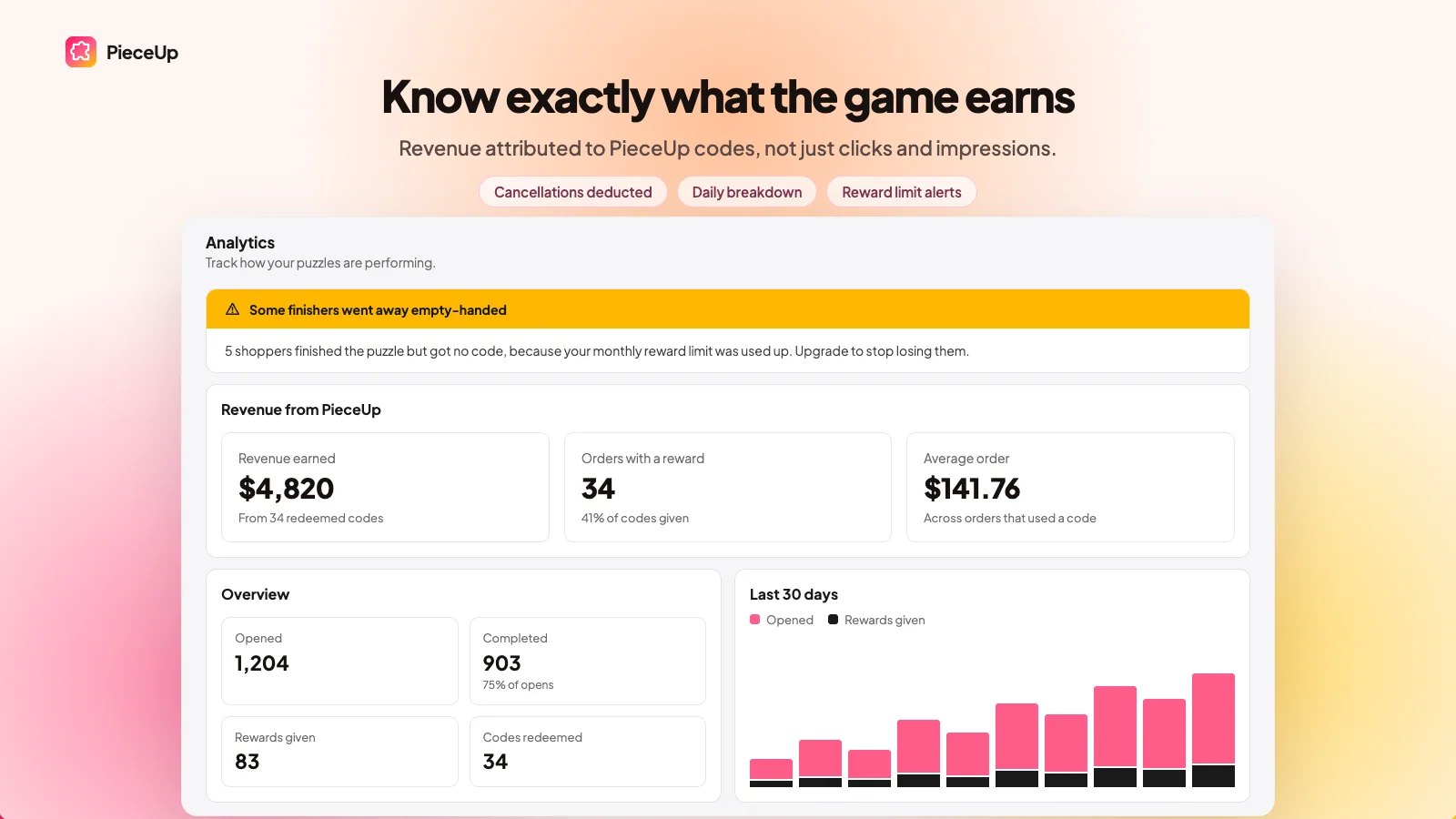
Orders placed with a PieceUp code are matched back to the puzzle that issued it, so you see revenue, not just clicks. Premium adds A/B testing between two puzzles. PieceUp is new and has no reviews yet, which is worth weighing against a very low-risk free plan.
Good to know: Free plan covers 100 rewards a month, Pro is $9.99/month. Website · Shopify App Store
9. Giveaway Ninja
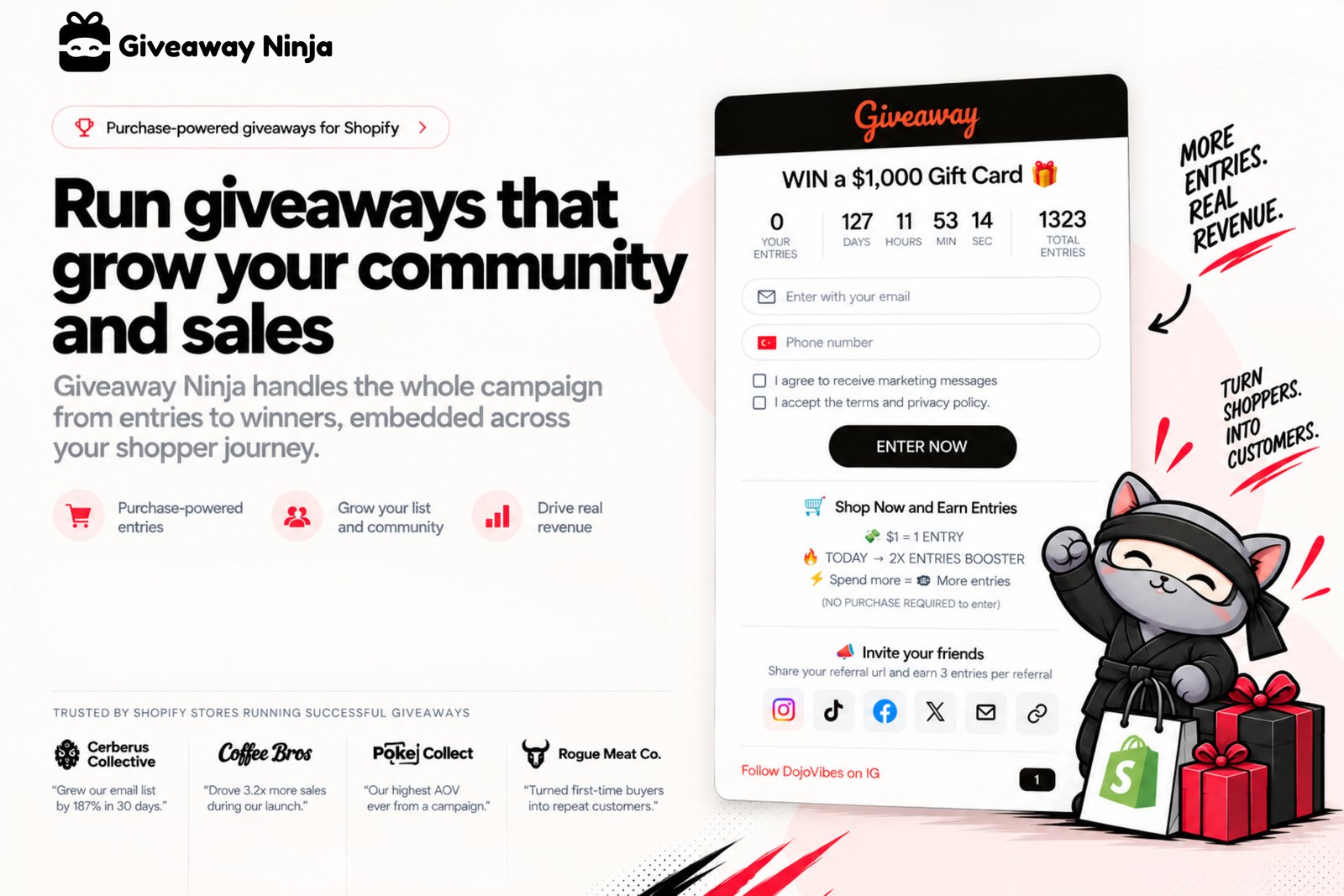
Giveaway Ninja runs purchase-based giveaways and sweepstakes where every order, referral and social action earns entries. That turns a giveaway from an email-collection stunt into something that drives orders.
For BFCM, the useful setups are a date-range multiplier for early buyers, boosted entries during a flash window, and bonus rules for bundles or spend thresholds so bigger carts earn more chances. Refer-a-friend and social entries give shoppers a no-purchase way in. When it ends, winners are drawn at random with a built-in live draw.
“Great app that handles the Giveaways legally, and also now integrates with both my stores and email platforms!”
Source: LOHY., Australia, September 2026 (Shopify App Store review)
Good to know: 5.0 from 90 reviews. Free for up to 50 monthly users, Starter is $49/month. Website · Shopify App Store
Stage 5: Keep BFCM Customers in January
The customers you pay most to acquire in November are the ones most likely to vanish by January. The last app on this list is about owning that relationship instead of renting it back through ads. It’s the one pick among these Shopify apps for Black Friday whose payoff mostly shows up after the sale ends.
10. Shopney
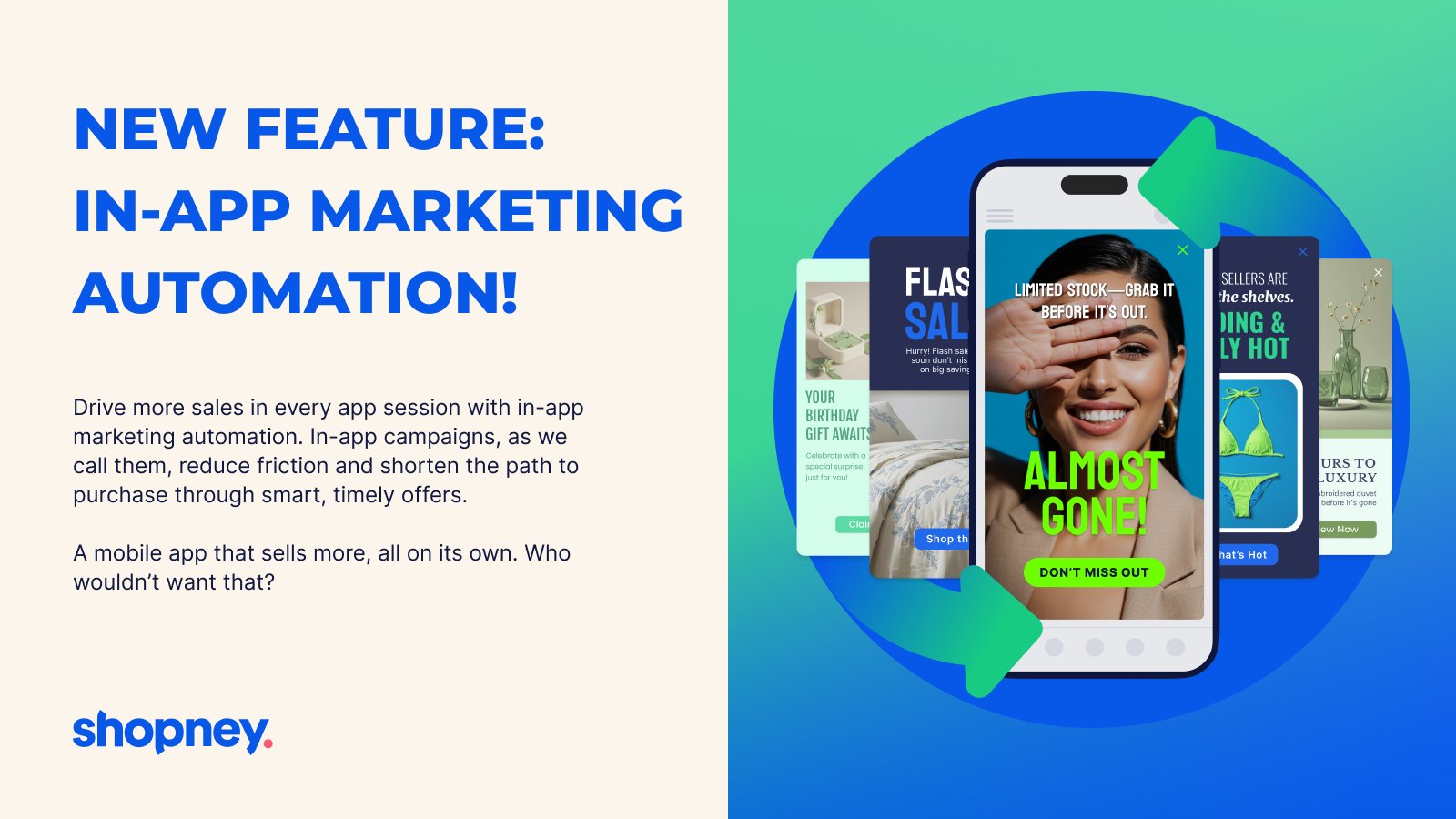
Shopney is an AI-native mobile app builder that turns a Shopify or Shopify Plus store into native iOS and Android apps without code. Merchants can go live in as little as five days, with dedicated support from build through store submission and launch.
The retention tools are the point: unlimited push notifications, abandoned-cart recovery, in-app campaigns, app-exclusive offers, personalization, and loyalty and subscription integrations. Shopney takes zero commission on sales and is used by 3,000+ Shopify brands.
“Setting up my first mobile app was definitely a learning experience, but the Shopney team has been extremely helpful throughout the process.”
Source: GWJT, United States, August 2026 (Shopify App Store review)
Good to know: 5.0 from 770 reviews, the most reviewed app here. Plans start at $149/month with a 30-day free trial. Start now, not in November: app store review adds time you don’t control. Website · Shopify App Store
When to Install Each App Before BFCM 2026
Installing Shopify apps for Black Friday on Black Friday is how stores end up debugging a theme conflict at peak traffic. Here’s a working schedule:
| When | Apps | Why then |
|---|---|---|
| Early October | Shopney | App store review takes time |
| Mid October | CS Export Product Images, then CS Smart Bulk Image Upload | Back up first, then load holiday stock |
| Late October | Stamp, Rubik, Mini:Custom Fields | Theme and product page changes need testing |
| Early November | SSM Sold Counter, Growth Suite, PieceUp, Giveaway Ninja | Needs real data and a warm-up before the peak |
| Nov 27 to Nov 30 | Nothing new | Watch, don’t install |
For the non-app side of the same prep, our Shopify Q4 prep checklist covers inventory, shipping cutoffs and site speed.
Don’t Install All Ten: Where These Apps Overlap
Here’s our honest take: the worst way to use a list of Shopify apps for Black Friday is to install every one. Pick by the leak you actually have.
- Collection page or product page? Stamp fixes the collection grid, Rubik fixes the product gallery. Both can add swatches, so if you run both, decide which app owns swatches on which page.
- How many discount mechanics? Growth Suite, PieceUp and Giveaway Ninja all give shoppers a reason to buy now. Stacked together during BFCM, on top of your site-wide sale, they teach shoppers to wait for a code. We’d run one, two at most.
- Do you sell personalized or gift products? If yes, Mini:Custom Fields belongs in stage 3. If not, skip it.
- Is your catalog big or changing? Under 50 products and no new stock, the Craftshift catalog tools are optional. Hundreds of SKUs arriving for Q4, they save days.
- Do you have repeat buyers worth an app? Shopney pays off for brands with repeat purchases. For a one-off gift store, the money goes further elsewhere.
Frequently Asked Questions
- 1. What are the best Shopify apps for Black Friday 2026?
- It depends on where your store loses sales. For catalog prep, CS Smart Bulk Image Upload and CS Export Product Images. For discovery, Stamp Show Variants Collection and Rubik Variant Images. For conversion, Mini:Custom Fields Personalize, SSM Sold Counter and Growth Suite. For engagement, PieceUp and Giveaway Ninja, and for retention, Shopney.
- 2. When should I install Shopify apps for Black Friday?
- At least three to four weeks before November 27. Theme-touching apps need testing, social proof apps need real order data to show meaningful numbers, and a mobile app needs app store approval. Avoid installing anything new during BFCM weekend itself.
- 3. Are there free Shopify apps for Black Friday?
- Eight of the ten apps in this list have a free plan: CS Smart Bulk Image Upload, CS Export Product Images, Stamp (preview only), Rubik, Mini:Custom Fields, SSM Sold Counter, PieceUp and Giveaway Ninja. Growth Suite and Shopney offer free trials instead.
- 4. Will adding several apps slow down my Shopify store?
- Every storefront app adds some code, so load only what fixes a real problem. Many storefront apps use Shopify theme app embeds, which you can switch off from the theme editor without uninstalling. Check your speed after each install, not after all of them, and remove Shopify apps for Black Friday campaigns you no longer run once January starts.
- 5. How do I sell personalized gifts on Shopify during the holidays?
- Add input fields to the product page with an app like Mini:Custom Fields Personalize, so shoppers enter names, dates, photos or gift notes before checkout. The details are saved with each order. Set a clear personalization cutoff date so orders arrive before the holidays.



