

Visitor counter vs stock counter Shopify: a visitor counter shows how many shoppers are looking at a product right now, a stock counter shows how many units are left. Hey!Scarcity Low Stock Counter builds the second one, real inventory-based low-stock and sold-out messaging, not a simulated live-viewer count, and it carries a 4.9 rating from 137 reviews, the most of any app we track in this category.
The two mechanics look similar on a product page, a small line of text creating urgency, but they claim different things. A stock counter claims something checkable: exact inventory. A visitor counter claims something a lot harder to verify: how many other people are on this exact page right now. That difference matters more once a shopper starts to distrust the number.
In this post:
- Visitor counter vs stock counter Shopify: the quick answer
- What a visitor counter actually shows (and where it can mislead)
- What a stock counter actually shows
- Which one fits your store
- Does Hey!Scarcity show visitor counts?
- FAQ
Disclosure: I’m the founder of Minimate Apps, and Hey!Scarcity Low Stock Counter is the stock-counter app referenced throughout this comparison. We don’t build a visitor-counter feature, and this post says so plainly rather than stretching our positioning to cover something we don’t do.
Visitor Counter vs Stock Counter Shopify: The Quick Answer
A visitor counter is a social-proof signal: it tells a shopper that other people want this product too. A stock counter is a scarcity signal: it tells a shopper that supply is limited. Most stores only need one, not both, and picking the wrong one for your situation is why some urgency widgets convert well and others get ignored after the first visit.
Here’s the visitor counter vs stock counter Shopify comparison as a plain table:
| Signal | What It Shows | Best For |
|---|---|---|
| Visitor counter | “X people viewing this now,” usually an estimate or a simulated range rather than a real session count | Stores leaning on social proof, high-traffic pages where the number is plausible |
| Stock counter | Actual remaining inventory, either pulled directly from Shopify’s real stock count for that variant, or a manual inventory level you set yourself if you don’t use Shopify for inventory management | Stores with genuinely limited stock who want a checkable, honest number |
What a Visitor Counter Actually Shows (And Where It Can Mislead)
Most visitor counter apps don’t count real, concurrent sessions. They generate a plausible-looking range based on traffic patterns, time of day, or a simple randomizer within bounds the merchant sets. That’s not necessarily dishonest, some apps disclose this clearly, but it’s rarely obvious to the shopper reading “12 people are viewing this right now” on the page.
Say a niche pillow-cover store gets 40 total sessions a month and its visitor counter shows “8 people viewing” on a random Tuesday afternoon. That’s the exact math that breaks trust once a shopper notices the number barely moves no matter when they load the page. Why does this happen so often? Because a static or narrow-range counter is easier to build than a real one, and most shoppers never test it twice to notice.
What a Stock Counter Actually Shows
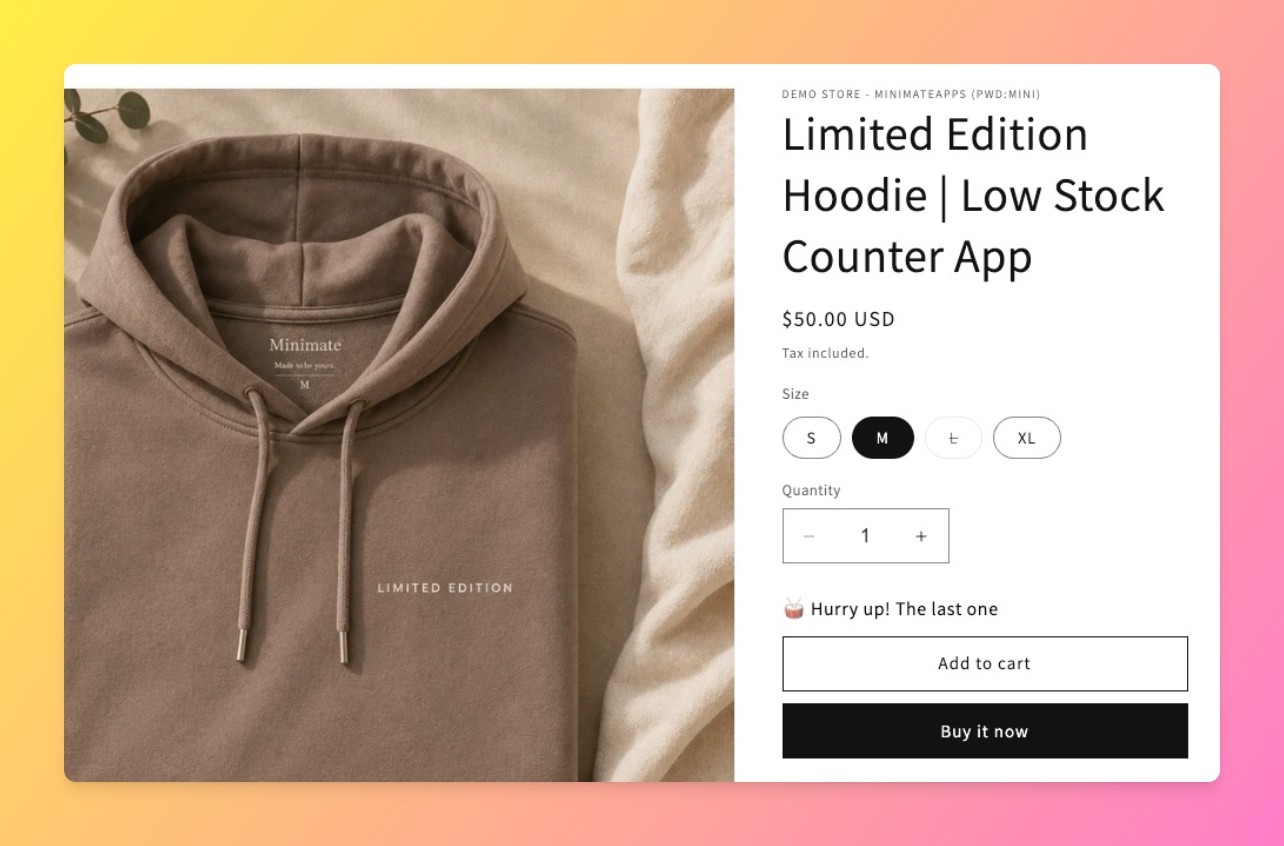
A stock counter built on real Shopify inventory pulls the actual remaining quantity for a product or variant and updates it as orders come in. It’s a number a shopper could, in theory, verify by watching it drop after a purchase. That checkability is the whole value of the signal.
One clarification worth stating: Hey!Scarcity pulls its counter from one of two sources. For stores that manage inventory in Shopify, the number comes straight from Shopify’s real stock count for that variant. For merchants who aren’t using Shopify for inventory management, say a make-to-order or dropshipped item with no native Shopify stock count, Hey!Scarcity lets you set a manual inventory level directly in the app’s UI instead. Either way the number is checkable: it’s either a live pull from Shopify, or it’s the number you explicitly set and are accountable for, not a simulated range like a visitor counter uses.
“The application itself is incredibly useful to allow our customers know which items are in-stock which greatly boosts our conversions, which is especially necessary when we’ve just restocked and want to clear inventory fast!”
Source: D’zage Designs, Hong Kong SAR (Shopify App Store review)
Which One Fits Your Store (Decision Checklist)
- Genuinely limited stock, want a checkable number: a real inventory-based stock counter.
- Make-to-order, dropshipped, or otherwise not tracking inventory in Shopify: set a manual inventory level in Hey!Scarcity, used transparently, or use a visitor counter instead.
- High organic traffic and want to lean on social proof: a visitor counter can work, but disclose how the number is generated if you can.
- Low traffic store: skip the visitor counter. A thin number invites the exact skepticism described above.
Does Hey!Scarcity Show Visitor Counts? (Honest Answer: No, and Why)
No. Hey!Scarcity Low Stock Counter only displays inventory-based messaging, low stock, sold out, and restock, on product and collection pages. We don’t build a “people viewing this” widget, and we’re not planning to add one as a bolt-on feature. If a visitor counter is what you actually need, a dedicated social-proof app is a better fit than asking a stock-focused app to fake that signal.
That’s the honest gripe with trying to cover both in one app: a visitor counter and a stock counter solve different problems, and an app that tries to do both usually does neither particularly well. We’d rather stay narrow and be clear about it.
Shopify’s own inventory management help docs are a useful baseline for understanding how real stock counts are tracked before adding either kind of urgency widget. For a related comparison, see our Shopify Inventory Countdown vs Low Stock Badge post, or our broader guide on how to create urgency on your Shopify store.
Frequently Asked Questions
- 1. What’s the difference between a visitor counter and a stock counter on Shopify?
- A visitor counter shows how many shoppers are viewing a product, usually as an estimate. A stock counter shows how many units are left, ideally pulled from real Shopify inventory.
- 2. Do visitor counters show real numbers?
- Often not. Many visitor counter apps generate a plausible range rather than counting real concurrent sessions, which is why the number can look static or implausible on low-traffic pages.
- 3. Does Hey!Scarcity Low Stock Counter show live visitor counts?
- No. Hey!Scarcity only displays inventory-based messaging: low stock, sold out, and restock alerts. It does not show visitor or viewer counts.
- 4. Which urgency display converts better, visitor counts or stock counts?
- It depends on whether your traffic and stock levels make the number believable. A stock counter tends to hold up better under scrutiny because it’s checkable; a visitor counter only works when the volume genuinely supports it.
- 5. Can I use both a visitor counter and a stock counter at the same time?
- Yes, technically, using two separate apps, though stacking both urgency signals on one product page can feel heavy-handed. Most stores get more value from picking the one that matches their actual traffic and inventory situation.
- 6. Is a stock counter still honest if I set a manual inventory level instead of using Shopify’s stock count?
- Yes, as long as it reflects a real number you’re choosing to display, for example for make-to-order or dropshipped items with no native Shopify stock count. It’s meant for stores that aren’t using Shopify for inventory management, not a way to simulate scarcity that isn’t real.
- 7. How do I add a low stock counter to my Shopify product page?
- Install a low stock app like Hey!Scarcity, connect it to your product inventory, and set your low-stock threshold. Most setups take a few minutes and don’t require theme code edits.



