
Product customization is one of the fastest ways to lift average order value on Shopify, and it doesn’t require a developer or a theme rebuild. Letting shoppers personalize what they buy, whether that’s engraving a name, picking a fabric, or adding a gift note, turns a generic product page into something the customer feels ownership over before they even check out.
Below are five ways product customization can transform your Shopify store, plus how to set it up in minutes with Mini:Custom Fields Personalize.
1. Product Customization Turns Browsers Into Buyers
When a shopper can add their own text, choose an option, or upload a reference image right on the product page, the decision to buy gets easier, not harder. They’re no longer picturing a generic item; they’re picturing their item. That small shift in perception is often the difference between a bounce and a completed order.
- 🎯 Add a name or initials field for jewelry, apparel, or drinkware
- 🎯 Offer a dropdown for engraving fonts or thread colors
- 🎯 Let customers pick a gift message at checkout
2. It Increases Average Order Value
Personalized items carry a higher perceived value, and most shoppers expect to pay a bit more for something made just for them. With Mini:Custom Fields Personalize, you can attach add-on pricing to specific fields, so an upsell like “add monogramming for $6” becomes a checkbox away instead of a separate product listing.
3. Custom Fields Cut Down on Back-and-Forth Emails
Without a structured way to collect customer input, merchants end up chasing details over email after the order is already placed. A textbox, datepicker, or file upload field captures everything you need at the point of sale, whether it’s a delivery date, a monogram spelling, or a photo for a custom print.
| Field Type | Common Use Case |
|---|---|
| Textbox | Names, initials, short gift messages |
| Dropdown / Radio | Font styles, thread colors, size variants |
| Datepicker | Delivery dates, event dates for custom cakes or invitations |
| File Upload | Custom photos, logos, or artwork for print-on-demand products |
4. Product Customization Helps You Stand Out from Competitors
If you’re selling a product that’s widely available elsewhere, customization is one of the cleanest ways to differentiate. Two stores can sell the same mug, but only one lets the customer put their dog’s name on it. That’s a reason to buy from you specifically, not just whoever has the lowest price.
5. It Builds Repeat Business and Loyalty
Customers remember stores that made something feel personal. A one-off personalized gift often turns into a repeat customer for birthdays, holidays, and anniversaries down the line. Loyalty compounds when the shopping experience feels tailored rather than generic.
How to Set Up Product Customization on Your Shopify Store
Getting started with Mini:Custom Fields Personalize takes a few steps:
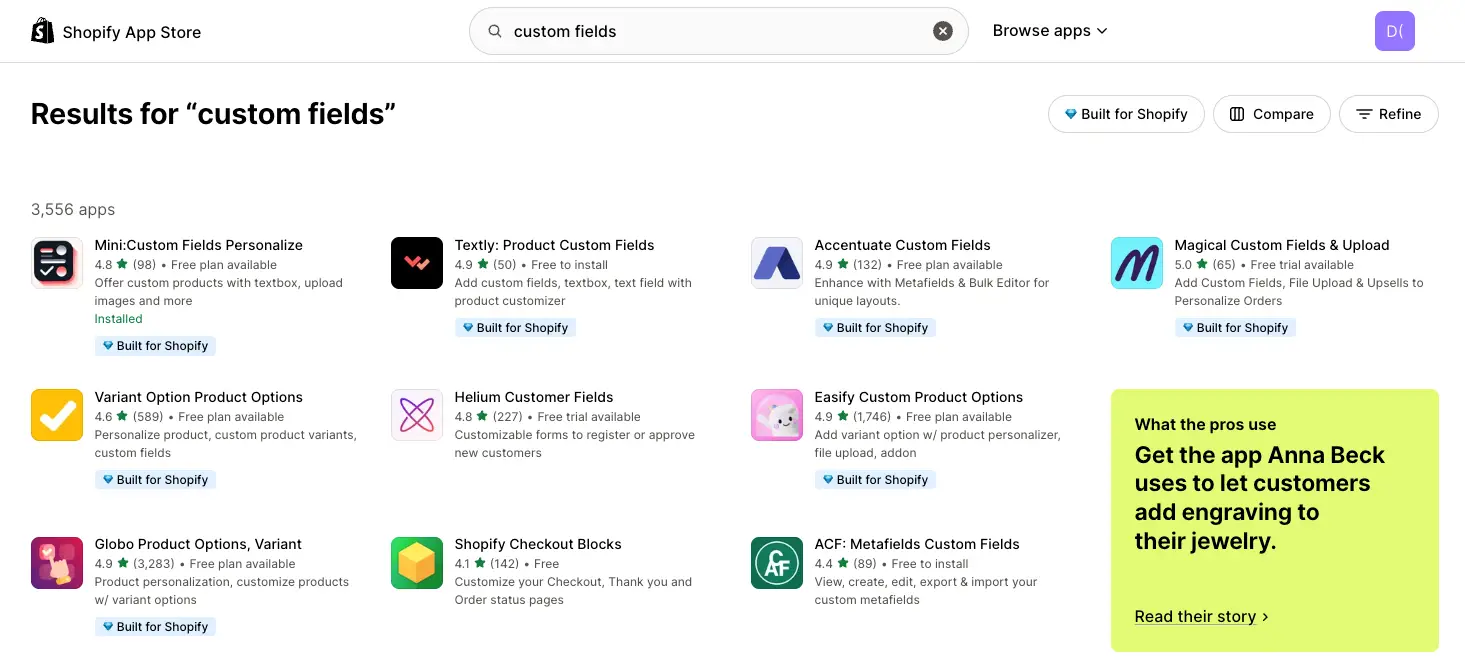
- Install the app from the Shopify App Store, no coding required.
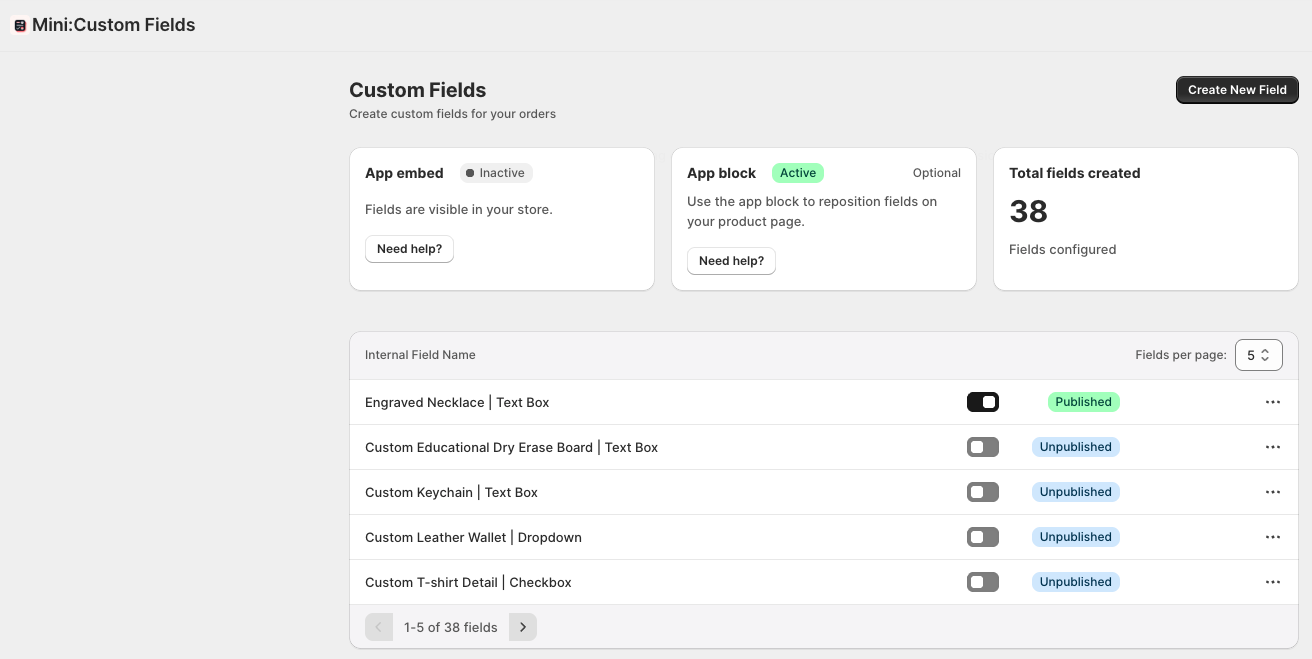
- Create your fields from the dashboard: textbox, dropdown, checkbox, radio button, datepicker, or file upload.
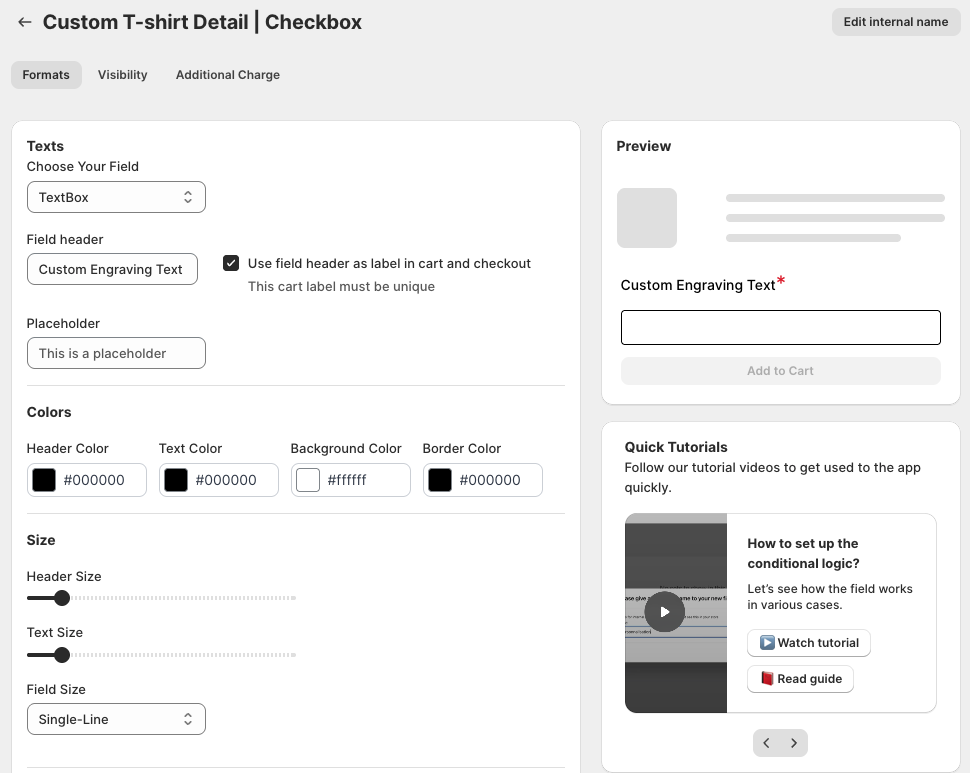
- Style it to match your theme using the built-in customization panel.
- Set conditional logic so fields only appear for relevant variants or products.
- Test on a live product page before promoting it to customers.
Best Practices for Product Customization
- ✅ Keep the number of custom fields short. Two or three well-chosen options convert better than a long form.
- ✅ Use clear labels and helper text so customers know exactly what they’re submitting.
- ✅ Show a visual example wherever possible so shoppers know what the finished product will look like.
- ✅ Apply fields at the variant level when only some options need personalization.
If you want a deeper walkthrough on setting up individual field types, our guide on how to add custom fields to product pages in Shopify covers the process step by step, and adding custom fields to your Shopify store goes further into conditional logic and pricing add-ons.
Conclusion
Product customization isn’t a nice-to-have anymore, it’s a practical way to raise average order value, reduce support overhead, and give customers a reason to choose your store over a competitor selling the same item. With Mini:Custom Fields Personalize, you can add textboxes, dropdowns, datepickers, and file uploads to your product pages in minutes, no developer needed.
Frequently Asked Questions (FAQs)
1. What types of input fields can I add with Mini:Custom Fields Personalize?
You can add text fields, dropdowns, checkboxes, radio buttons, datepickers, and file uploads to support a wide range of product customization needs.
2. Do I need coding skills to use this app?
No. Mini:Custom Fields Personalize is built for merchants with no developer on hand, install it and start adding fields directly from the dashboard.
3. Will this app work with my existing Shopify theme?
Yes, it’s compatible with all Shopify themes and lets you style fields to match your store’s look.
4. How does product customization help increase sales?
Customized products carry a higher perceived value, which supports higher price points and larger average order values, while also reducing pre-purchase questions.
5. Can I limit custom fields to specific products or variants?
Yes, you can apply conditional logic so fields only show up for the products or variants where they’re relevant.